
SEO & Blogs with Purple+
Purple+ writes SEO blog articles built to rank, publishes them to WordPress or Shopify, and shows your results from Search Console and Analytics — all in one place.
Purple+ takes a blog from idea to ranking. It writes the article, structures it for search, publishes it straight to your website, and then shows you how it's performing — all from one chat, with no plugins to wire up or exports to manage.
Most AI tools stop at a draft. Purple+ goes the whole way: written, published, and measured.
What Purple+ does for SEO
-
Writes full articles — structured with headings, ready to rank, in your brand voice.
-
Builds in on-page SEO — titles, meta descriptions, and a clear structure search engines understand.
-
Publishes to your site — straight to WordPress or Shopify, no copy and paste.
-
Shows your results — pulls in Google Search Console and Google Analytics 4 so you can see what's working.
Writing an SEO article

-
Ask in chat — "Write a blog post about choosing running shoes for beginners."
-
Purple+ drafts it — a full article with a clear heading structure, an intro that answers the search intent, and your brand voice throughout.
-
Refine together — "add a section on pricing," "make the intro punchier," "include a comparison table."
-
Publish — push it to WordPress or Shopify when it's ready, or schedule it.
Built to rank, not just to read
A good blog article and a good SEO article aren't the same thing. Purple+ writes for both: a clear primary focus, sensible heading structure, a meta title and description, and content that actually answers what people searched for. The aim is an article that reads naturally and gives search engines what they need to rank it.
Publishing to your website
Connect WordPress or Shopify under Connectors, and Purple+ publishes articles directly to your blog. The formatting, headings, and images come across intact — so "publish" really means published, not "export and reformat."
|
Step |
Where it happens |
|---|---|
|
Write the article |
In Purple+ chat |
|
Optimise for search |
Built in as it writes |
|
Publish to your site |
WordPress or Shopify connector |
|
Track performance |
Google Search Console + GA4 |
Seeing your results
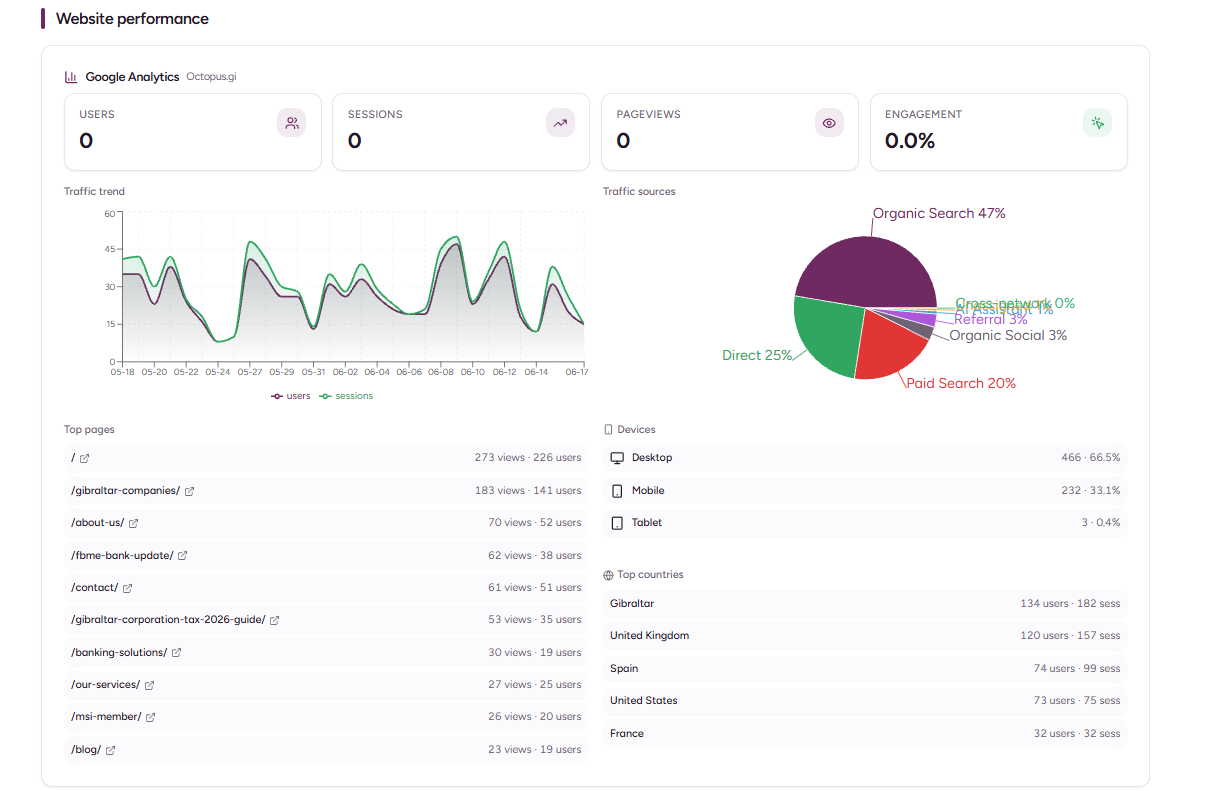
Once your Google Search Console and Google Analytics 4 connectors are set up, Purple+ brings your search and traffic data inside the platform. You can see how your published content is performing — impressions, clicks, and traffic — without bouncing between four different dashboards.
Keeping it on brand
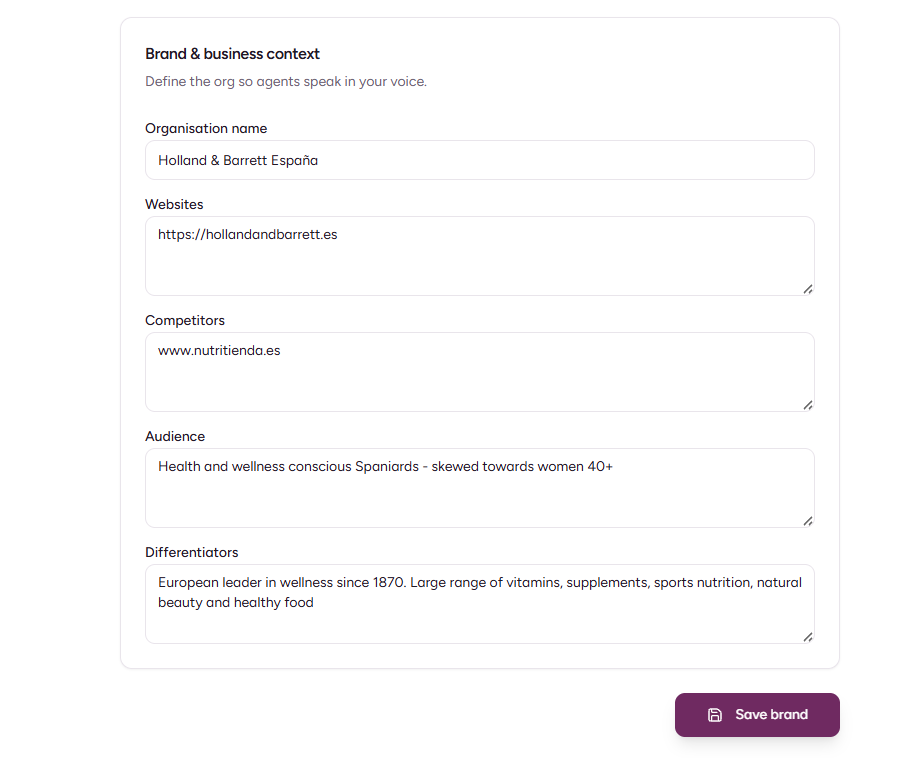
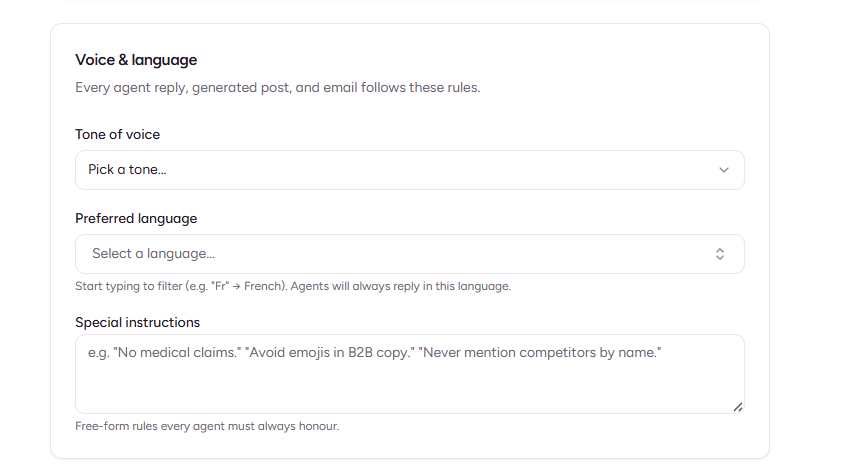
Every article draws on your Brand Kit — your voice, audience, and rules. So a Purple+ article doesn't read like generic AI filler; it reads like your business wrote it, with the tone and the do's-and-don'ts you've set.
Blogging on autopilot
If you'd rather not write each post by hand, Purple+ Flow can include blog articles in your weekly mix — drafted automatically and dropped into Reviews for one-click approval. Set how many you want each week and Flow keeps your blog ticking over.