
LinkedIn Ads
Purple+ can create, manage and measure LinkedIn advertising from the same conversational workflow you use for the rest of your marketing.
Purple+ can create, manage and measure LinkedIn advertising from the same conversational workflow you use for the rest of your marketing.
What you can do
LinkedIn Ads includes:
-
Standalone campaigns
-
Promotion of existing Company Page posts
-
Engagement, traffic, awareness, video-view, lead-generation, conversion and job-applicant goals
-
Single-image ads
-
Video ads
-
Carousel ads
-
Document ads
-
Event ads
-
Text and Spotlight formats
-
Follower and jobs formats
-
Conversation ads
-
Thought-leader ads
-
Article ads
-
CPM, CPC and CPV bidding
-
Automated or manual bidding
-
Matched Audiences
-
Lead Gen Forms
-
Conversion tracking
-
UTM / URL tracking parameters
-
Pre-flight bid and budget guidance
-
Performance analytics
-
Firmographic reporting such as job title, seniority, industry and company size
Before you start
You will normally need:
-
A LinkedIn account connected to Purple+.
-
A LinkedIn ad account.
-
A LinkedIn Company Page for most from-scratch sponsored creative.
-
Permission to advertise from that Page and ad account.
-
Conversion tracking if you are optimising for conversions.
The authenticated LinkedIn member must have the appropriate Page permission — typically Administrator or Direct Sponsored Content Poster — for the Company Page used by the campaign.
LinkedIn reviews ads before delivery.
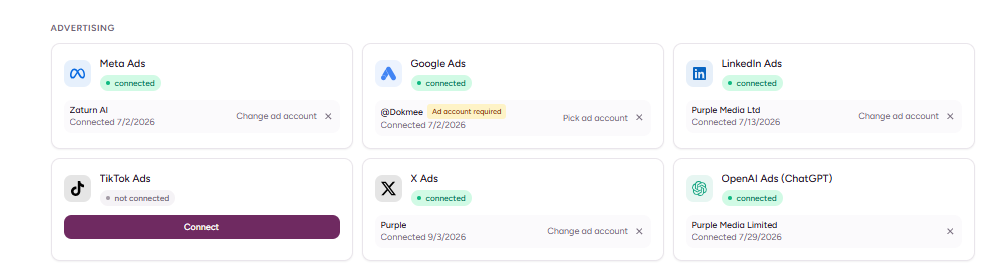
Create a LinkedIn campaign
Start with the business outcome and the professional audience.
Example:
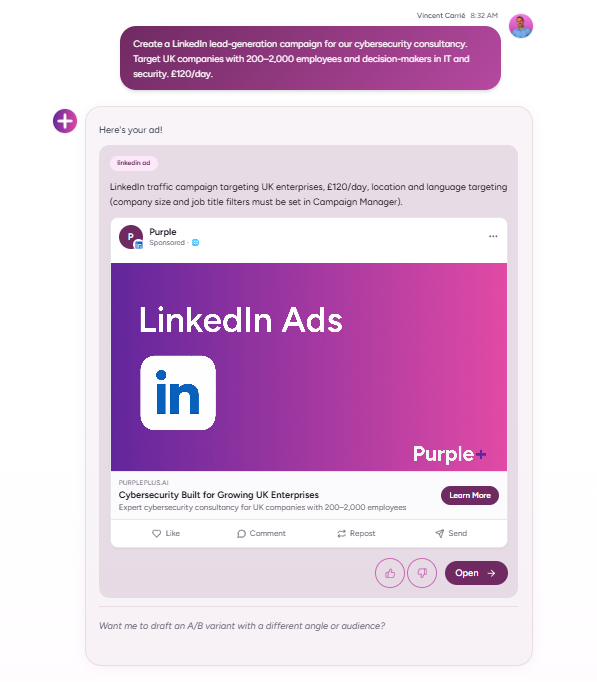
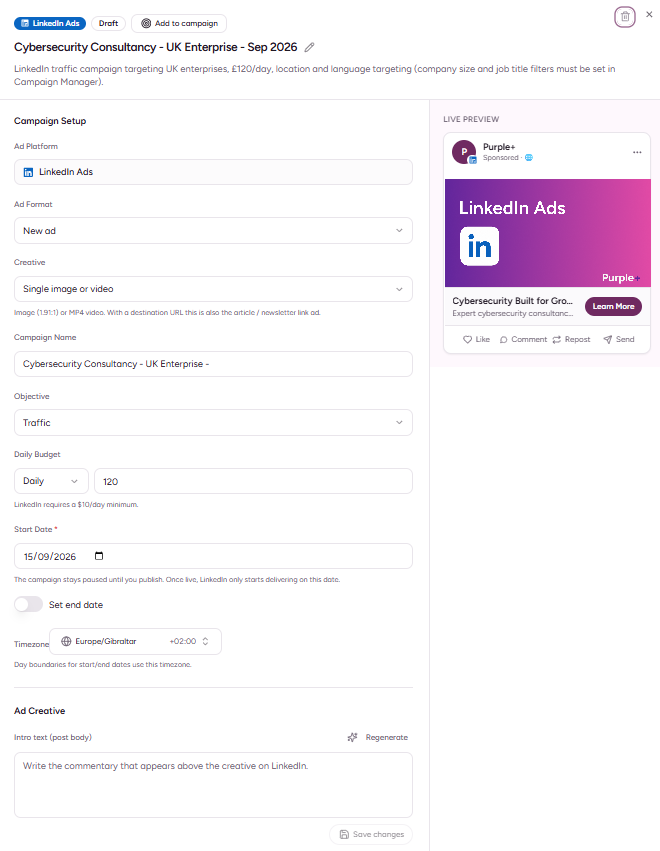
Create a LinkedIn lead-generation campaign for our cybersecurity consultancy. Target UK companies with 200–2,000 employees and decision-makers in IT and security. £120/day.
Purple+ can build the campaign and creative while keeping the workflow in plain English.
Choose the right objective
|
Goal |
Use it when |
|---|---|
|
Awareness |
You want reach among a professional audience |
|
Traffic |
You want website visits |
|
Engagement |
You want interaction with sponsored content |
|
Video views |
Video consumption matters |
|
Lead generation |
You want leads through LinkedIn Lead Gen Forms |
|
Conversions |
You want tracked website actions |
|
Job applicants |
You are promoting roles |
LinkedIn is often more expensive than broad consumer platforms, so objective choice matters. Avoid paying premium professional-audience CPMs for a goal that is not tied to a commercial outcome.
Creative formats
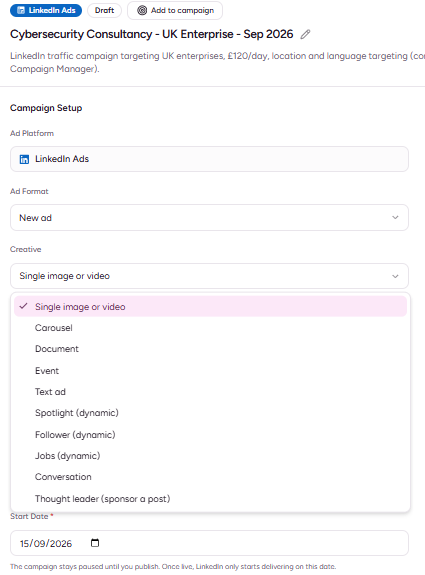
LinkedIn supports a wide range of ad formats.
Purple+ can work with:
-
Single image
-
Video
-
Carousel
-
Document
-
Event
-
Text ads
-
Spotlight
-
Follower ads
-
Jobs ads
-
Conversation ads
-
Thought-leader ads
-
Article ads
For common media:
|
Type |
Useful requirement |
|---|---|
|
Image |
JPEG, PNG or GIF |
|
Video |
MP4 with H.264/AAC |
|
Document |
Use a clear, useful asset such as a guide, report or deck |
LinkedIn creative usually performs best when it is specific to the professional problem rather than simply repurposing consumer-social copy.
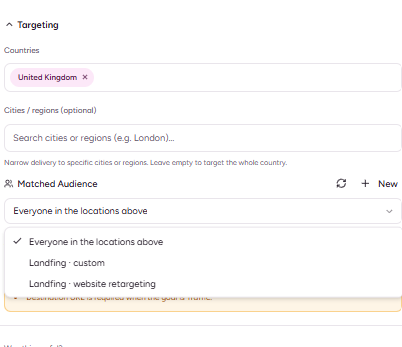
Targeting and Matched Audiences
LinkedIn's main advantage is professional context.
Through the connected ads workflow, you can use Matched Audiences such as:
-
Contact lists
-
Company lists
-
Engagement retargeting
-
Website retargeting
That makes LinkedIn particularly useful for B2B campaigns where you already know the types of companies or people you want to reach.
Lead Gen Forms
LinkedIn Lead Gen Forms can capture a user's details without forcing them to complete a form on an external landing page.
Purple+ can support workflows for:
-
Creating forms
-
Listing forms
-
Archiving forms
-
Pulling lead responses
Lead-response access is subject to LinkedIn permissions and retention rules.
Use Lead Gen Forms when reducing form friction is more important than sending every user to the website.
Screenshot to add
Screenshot 5 — LinkedIn Lead Gen Form
Place after Lead Gen Forms.
Capture a real form preview or Purple+ form configuration showing the fields and offer.
Do not use a dummy form with fake personal data if a clean preview is available.
Bidding and budgets
LinkedIn supports:
-
CPM
-
CPC
-
CPV
-
Automated bidding
-
Manual unit-cost bidding
The backend also exposes suggested bids, budget bounds and supply forecasts that can help with pre-flight planning.
LinkedIn has platform minimums for certain campaign types and formats, so a very low budget may not be accepted.
A good brief is explicit:
Keep the campaign within £100/day and show me LinkedIn's suggested bid range before publishing.
Conversion tracking
Purple+ can work with LinkedIn conversion tracking and server-side conversion events.
Use it for outcomes such as:
-
Demo requests
-
Trial signups
-
Purchases
-
Qualified form submissions
-
Other tracked business events
For serious B2B optimisation, do not stop at click-through rate. Connect the campaign to a meaningful conversion action.
URL tracking
LinkedIn supports campaign-level URL tracking parameters.
Use UTMs so traffic can be analysed in your analytics stack.
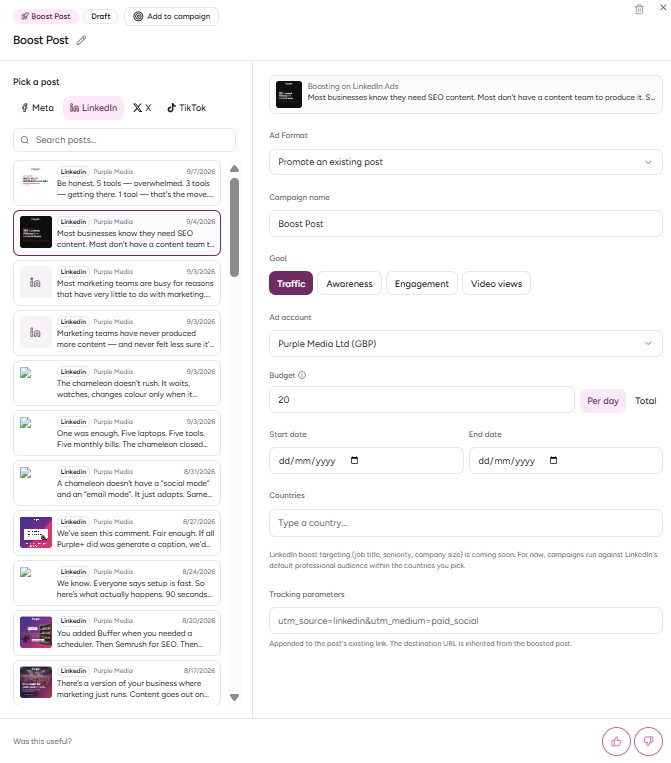
Promote an existing Company Page post
If a Page post is already performing well organically, Purple+ can promote it instead of creating a dark-post creative from scratch.
Head to Ads > Boost Post and simply select your chosen post.
This is useful for:
-
Strong thought-leadership posts
-
Company announcements
-
Reports
-
Event promotions
-
Existing video content
Review before publishing
Check:
-
Correct ad account
-
Correct Company Page
-
Objective
-
Audience
-
Budget
-
Bid method
-
Creative format
-
Destination URL / UTMs
-
Lead form or conversion event
-
Schedule
Remember that LinkedIn reviews every ad.
Measure performance
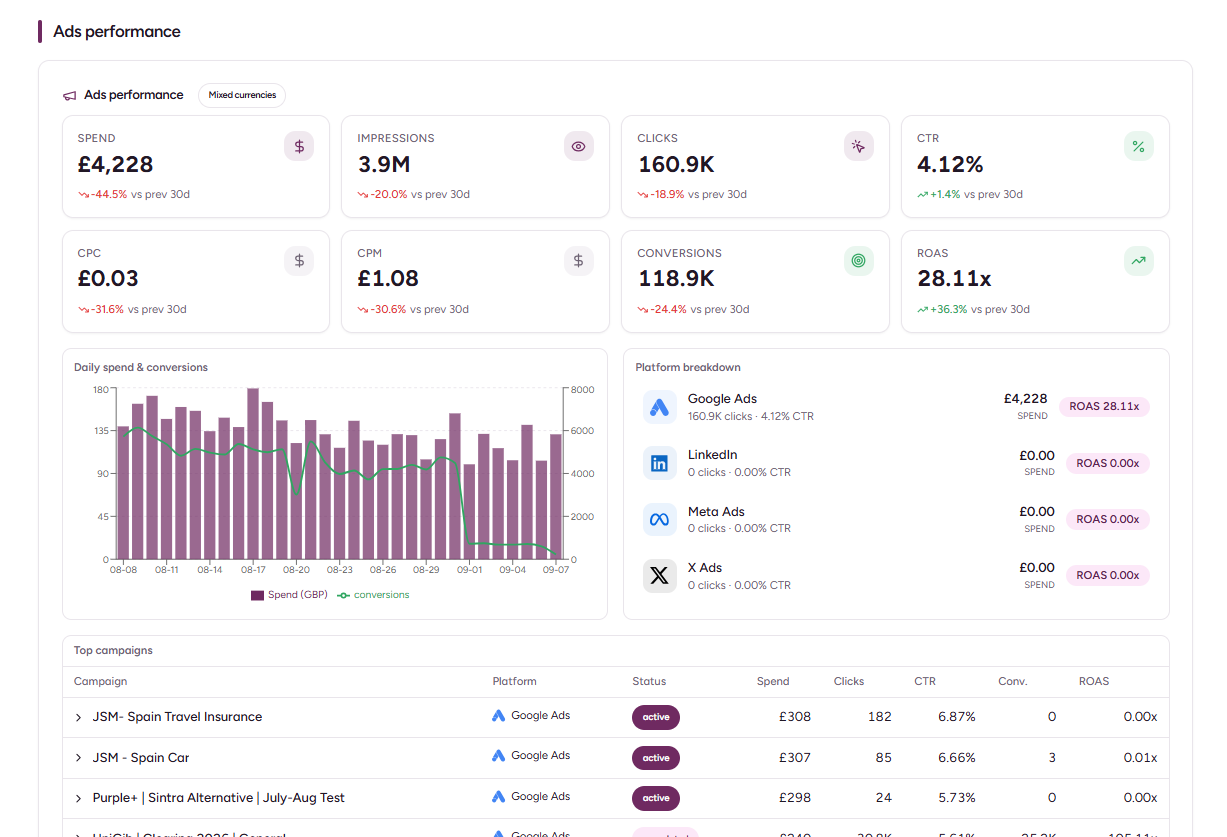
Purple+ can bring campaign performance back into the workspace, under the Results tab.
-
Spend
-
CPC
-
CPM
-
Impressions / clicks
-
Conversions
-
Firmographic breakdowns such as:
-
Job title
-
Seniority
-
Industry
-
Company size
-
That is especially useful for B2B teams. A campaign may have an acceptable CPL but still be poor quality if the wrong seniority or company profile is clicking.
Common issues
I cannot publish from the Company Page
Check that the connected LinkedIn member has the required Page permission and that the Page is associated with the ad account.
My account was connected before this feature existed
A reconnect may be required if the original LinkedIn authorisation did not include the newer advertising, conversion or lead-response permissions.
My ad is created but not live
LinkedIn reviews ads. Check review status separately from the campaign's configured on/off state.
Lead responses are unavailable
Lead-response access depends on the correct LinkedIn permission and the platform's retention window.
Key takeaway
LinkedIn Ads with Purple+ is most valuable when you use the platform's professional context deliberately. Be precise about the company profile, role and business outcome you want, then judge performance on lead quality and conversions — not only clicks.