Purple+ Brand Kit
The Purple+ Brand Kit stores your logo, colours, business context and voice rules, so everything Purple+ creates already looks and sounds like you.
Your Brand Kit is where Purple+ learns who you are. The agents read it every time they reply, and the AI image generator pulls in your colours and logo — so once it's set up, everything Purple+ creates comes out on-brand automatically, with no extra direction from you.
It's the reason Purple+ doesn't feel like a generic AI tool. Other tools start from a blank page every time. Purple+ starts from you.
What's in your Brand Kit
You'll find everything under Brand in the sidebar, split into four sections:
-
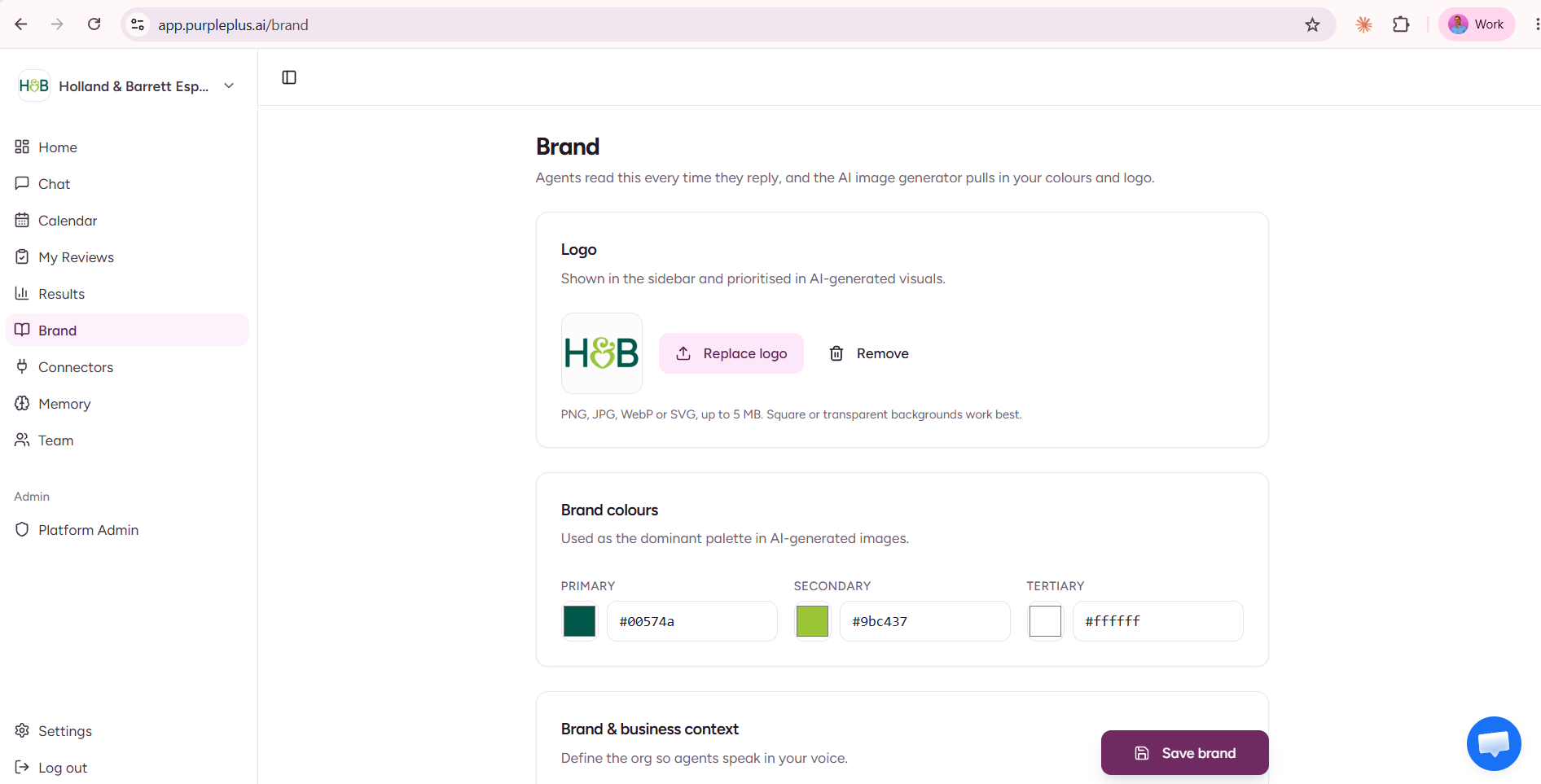
Logo — your brand logo. It appears in the sidebar and is prioritised in AI-generated visuals.
-
Brand colours — your primary, secondary, and tertiary colours, used as the dominant palette in AI-generated images.
-
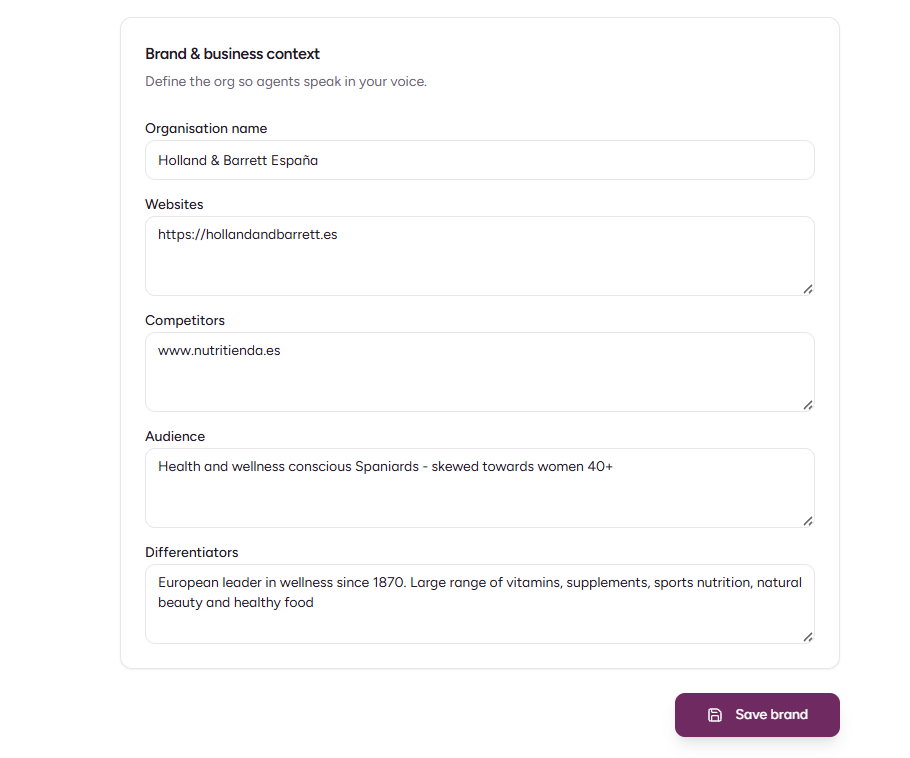
Brand & business context — who you are: organisation name, websites, competitors, audience, and what makes you different. This is how the agents understand your business.
-
Voice & language — how the agents write: your tone of voice, the language they reply in, and any hard rules they must always follow.
How Purple+ uses your Brand Kit
Every section shapes what the agents produce:
|
Brand Kit section |
What it shapes |
|---|---|
|
Logo |
Sidebar branding and AI-generated visuals (prioritised) |
|
Brand colours |
The dominant palette in AI-generated images |
|
Brand & business context |
How well the agent understands your business, audience, and edge |
|
Voice & language |
The tone, language, and rules behind every reply, post, and email |
The payoff: you never re-explain your brand. Ask for "three posts about our spring range" and the agent already knows your audience, your voice, and your colours.
Setting up your Brand Kit
Open Brand in the left-hand sidebar, work through the four sections, then click Save brand:
-
Logo — upload your logo (PNG, JPG, WebP, or SVG, up to 5 MB; square or transparent backgrounds work best). You can replace or remove it at any time.
-
Brand colours — set your primary, secondary, and tertiary colours as hex codes.
-
Brand & business context — add your organisation name, website(s), main competitors, target audience, and your key differentiators.
-
Voice & language — pick a tone of voice, choose the language the agents should reply in, and add any special instructions.
Most people have this done in a few minutes — and it pays off on every piece of content afterwards.
Get the most out of it
-
Use exact hex codes for your colours, not approximations.
-
Upload a clean logo — square or transparent backgrounds work best for AI visuals.
-
Be specific in business context. The more the agent knows about your audience, competitors, and differentiators, the sharper and more relevant the output.
-
Use Special instructions for your hard rules. They're honoured on every reply — for example, "No medical claims," "Avoid emojis in B2B copy," or "Never mention competitors by name."
-
Set your preferred language if you operate in a non-English market. The agents will always reply in it.
Working in another language
Purple+ isn't English-only. In Voice & language, set your preferred language and the agents will always reply — and generate content — in that language. Start typing to filter (for example, "Fr" for French).
Evolving your brand
Brands change. When yours does — a refreshed palette, a new logo, a sharper audience — update the relevant section and click Save brand. Purple+ uses the new version on everything from that point forward, and your past content stays as it was.