What is the Purple+ Planner?
The Planner is one place to see and organize everything across your channels — a cross-channel calendar, an idea board, and campaigns. Here's how it works.
The Planner brings all your marketing into a single view. Instead of a separate calendar for social, another for blogs, and a mental note for that email you keep meaning to send, everything sits together — scheduled, pending, and in progress — across social, blog, email, and ads.
It's where you plan ahead. The chat is for making something now; Flow keeps content coming automatically; the Planner is where you see the whole picture and decide what happens when.
One pool, different views
Everything in Purple+ lives in one shared pool of content. The Planner, My Reviews, and Drafts aren't separate stores — they're different views of the same items, filtered by where each one is in its journey.
That means a post drafted in chat, a blog from Flow, and an idea you generated all show up in the right place automatically. Approve something in My Reviews and it moves along; schedule it and it appears on the calendar. Nothing is copied or kept in two places.
The Planner itself has three views, switched from the toggle at the top:
-
Calendar — everything scheduled or pending, on one timeline
-
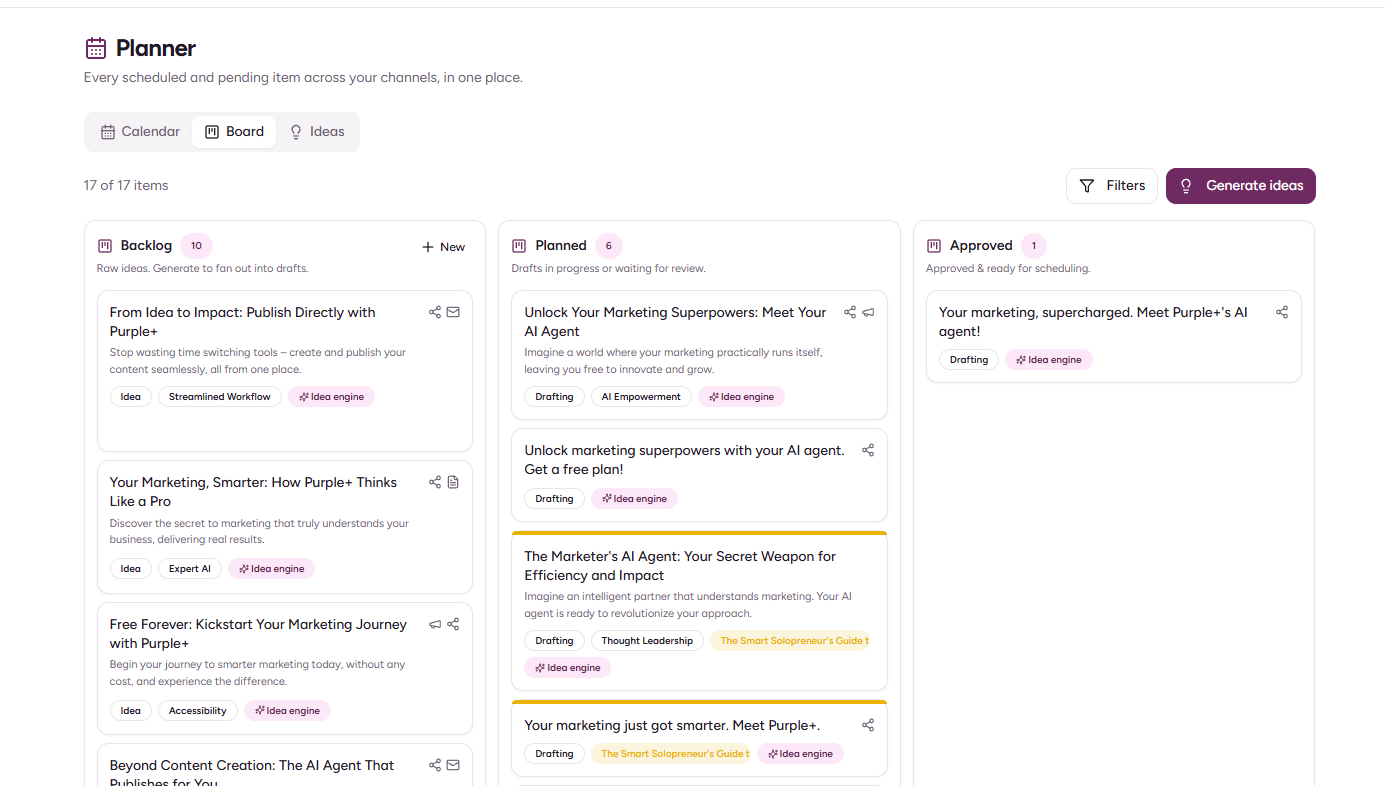
Board — your idea board, from backlog to ready
-
Ideas — freshly generated ideas waiting to be turned into content
The calendar
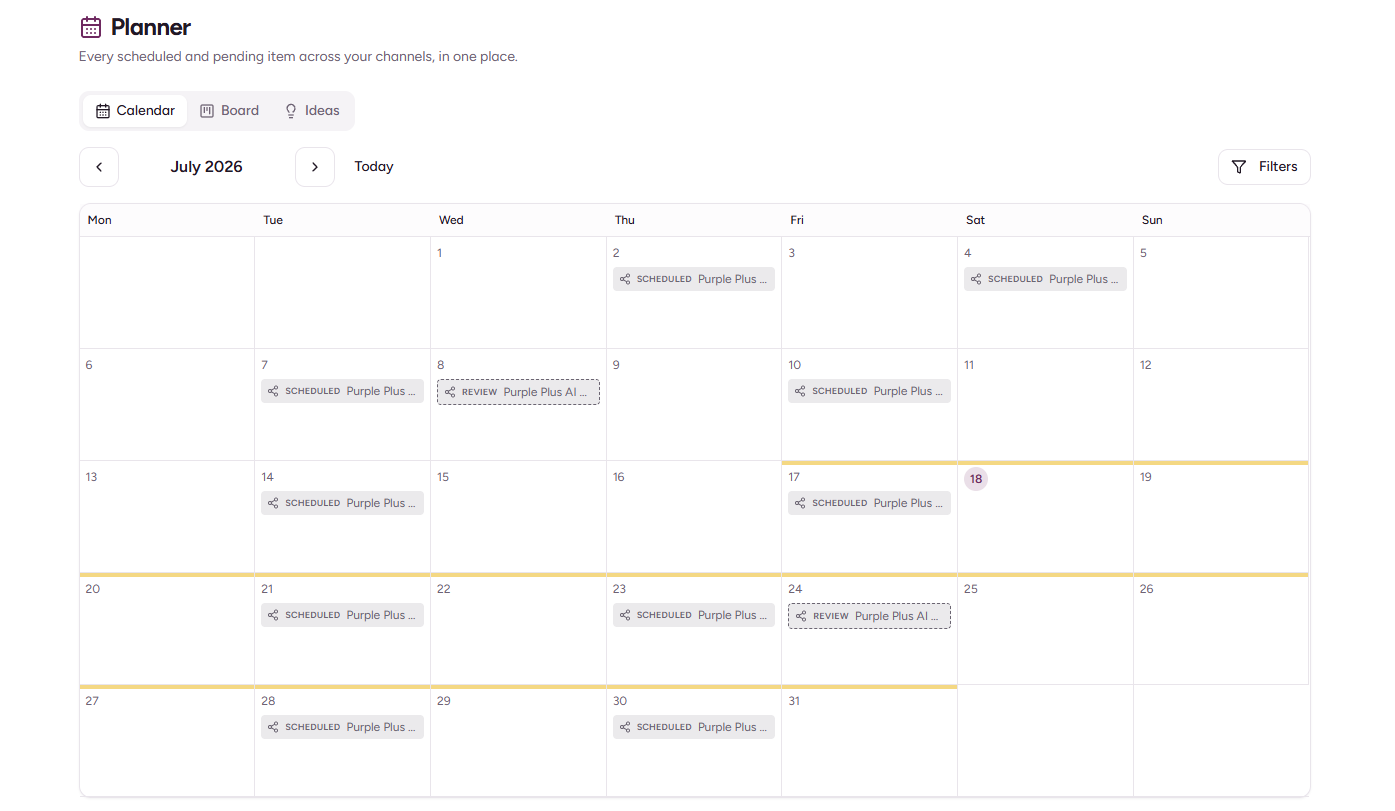
The calendar shows every piece of content with a date on it — scheduled items, published items, and anything pending approval that already has a target date — across all four channels at once.
-
Each item shows its channel as an icon and its status as a badge, so you can tell a scheduled Instagram post from a pending blog at a glance.
-
Drag any item to a new date to reschedule it. Moving an item to a date sets when it's due — it never publishes anything on its own. Publishing only happens once you've approved an item.
-
Switch between month view for the big picture and week view for a closer look.
-
Filter by channel, campaign, status, or source — including a quick toggle to show only what Flow has drafted.
The board and ideas
The Board is where ideas become plans. Ideas move through three columns — Backlog, Planned, and Approved — and each one can be turned into ready-to-review content in a couple of clicks.
The Ideas view is where new suggestions appear when you generate them. Purple+ looks at your brand and your calendar and proposes angles worth writing about.
Both are covered in full in Generate ideas & the Board.
Campaigns
A campaign groups content around a shared objective and timeline — a launch, a season, an offer. Tag items to a campaign and they show as a colored band across the calendar, so you can see everything working toward the same goal.
See Campaigns in Purple+ for how to create and use them.
How it works
-
Open Content → Planner from the sidebar.
-
Start on the Calendar to see everything already scheduled or pending across your channels.
-
Switch to Ideas and hit Generate ideas when you want fresh suggestions.
-
Use the Board to move ideas from backlog to planned, and turn the ones you like into drafts.
-
Drafts flow into My Reviews for approval, then back onto the calendar once scheduled.
The Planner at a glance
|
View |
What it shows |
|---|---|
|
Calendar |
Every scheduled, published, or pending-with-date item, all channels |
|
Board |
Your idea board — Backlog, Planned, Approved |
|
Ideas |
Newly generated ideas waiting to be turned into content |
Which plans include the Planner?
Everyone can see the Planner and calendar. Generating ideas and turning them into content is included on Pro and Scale, and draws from your plan's monthly credit allowance — the same credits that cover your chat and Flow. On the Free plan the board is view-only, with a prompt to upgrade when you generate.