
Meta Ads
Create, launch and monitor Facebook and Instagram advertising with Purple+.
Purple+ can take a Meta campaign from brief to live ad: write the copy, build on-brand creative, set the objective and targeting, publish to your Meta ad account, and bring performance back into the same workflow.
Meta Ads covers both Facebook and Instagram. Behind the scenes, Meta uses a three-level structure — Campaign → Ad Set → Ad — but Purple+ keeps the workflow much simpler so you can focus on the marketing decision rather than the platform plumbing.
What you can do
With Meta Ads in Purple+, you can work with:
- New standalone campaigns
- Existing organic posts you want to boost
- Traffic, awareness, engagement, video-view, lead and conversion campaigns
- Page-like and app-promotion campaigns where relevant
- Product-catalog campaigns when the required Meta assets are already set up
- Single-image, video and carousel creative
- Dynamic creative and placement-specific assets
- Audience targeting by location, age, gender and interests
- Customer, website, engagement and lookalike audiences
- Campaign or ad-set budgets
- Cost-cap, bid-cap and minimum-ROAS bidding strategies
- Meta Pixel / dataset conversion optimisation
- Lead forms
- Performance reporting including spend, conversions and ROAS
- Pause, resume, duplicate and lifecycle management
- Ad review-status checks
> Important: Meta reviews ads before or during delivery. A campaign being created successfully does not automatically mean it has been approved to run.
Before you start
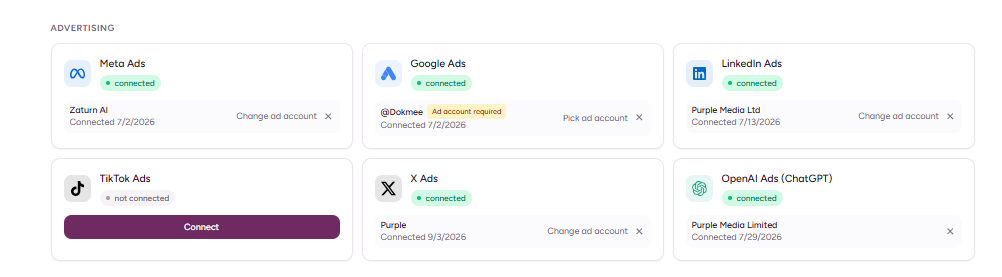
Make sure the Meta side is ready first.
You will normally need:
1. A Meta Business account.
2. A Meta ad account you have permission to use.
3. A Facebook Page connected to that business.
4. For Instagram placements, an Instagram professional account linked to the Facebook Page.
5. For conversion campaigns, a Meta Pixel or dataset configured for the event you want to optimise.
6. For catalogue campaigns, the catalogue and product set already set up in Meta Commerce Manager.
If you connected Facebook to Purple+ before advertising permissions were enabled, reconnecting the account may be necessary so the advertising permissions are granted.
Create a Meta campaign in chat
The easiest way to start is with a plain-English brief.
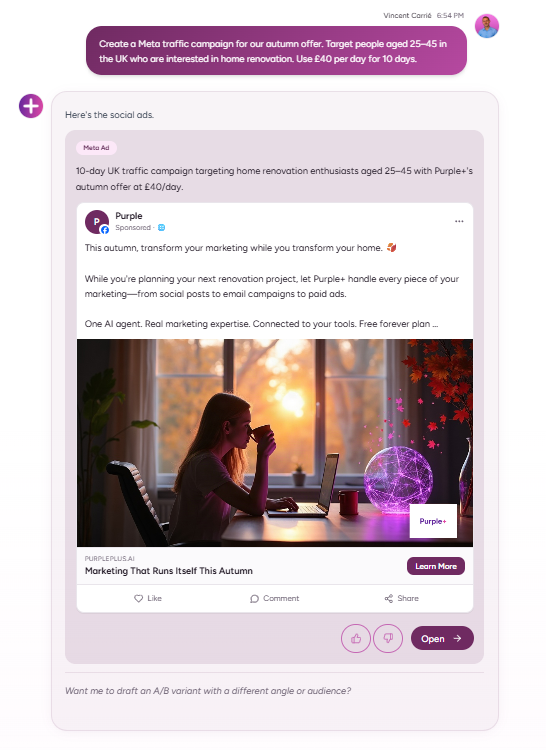
For example: Create a Meta traffic campaign for our autumn offer. Target people aged 25–45 in the UK who are interested in home renovation. Use £40 per day for 10 days.
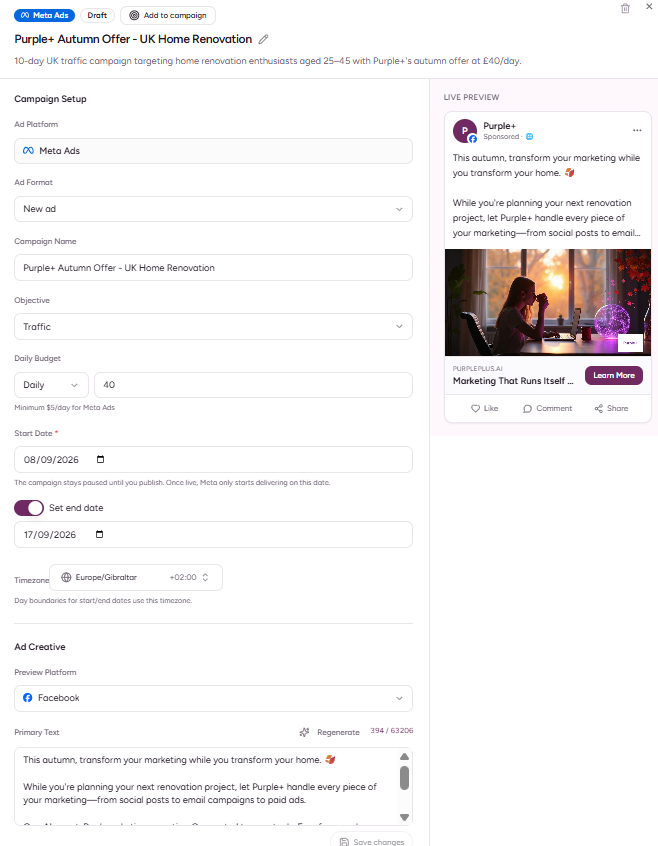
Purple+ can turn that brief into the pieces Meta needs: campaign objective, audience, budget, ad copy, creative and destination URL.
You can also ask for a simpler first draft and refine it:
Build the campaign structure first.
Then:
Make the first variation more direct, keep the second benefit-led, and make the third feel more premium.
Targeting
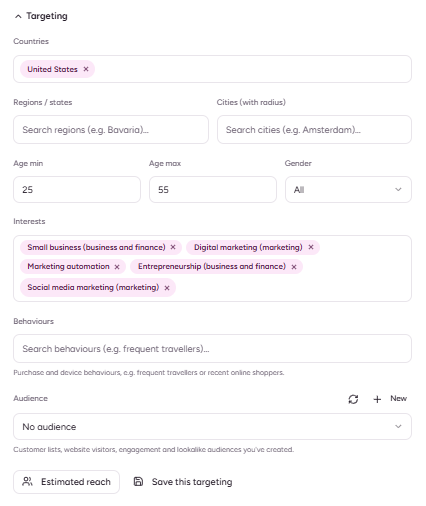
Meta supports rich audience controls.
Depending on the campaign, Purple+ can work with:
- Country, region or other supported location targeting
- Age ranges
- Gender
- Interests
- Saved targeting
- Customer-list audiences
- Website audiences
- Engagement audiences
- Lookalike audiences
For special ad categories such as housing, employment, credit, politics and certain regulated financial or gaming products, Meta restricts what targeting can be used. Purple+ cannot override Meta's policy restrictions.
Creative formats
Meta is one of the most flexible platforms for ad creative.
Purple+ can work with:
- Single images
- Video
- Carousel ads
- Placement-specific assets
- Dynamic creative
- Catalogue creative
- Lead-form creative
- Messaging ads
- Call ads
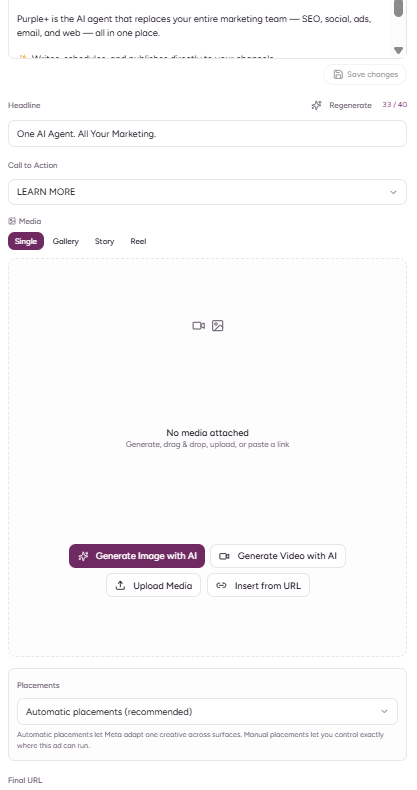
Purple+ can generate on-brand creative using your Brand Kit and adapt the same campaign idea to different placement ratios.
Boost an existing post
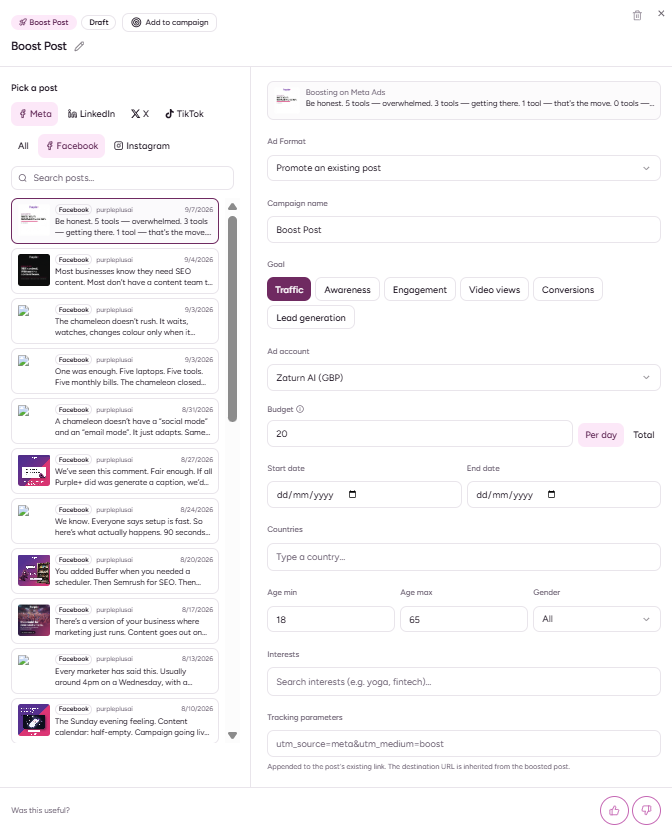
If you already have a Facebook or Instagram post that is performing well organically, you can promote it instead of creating a completely new ad.
Head to Ads > Boost Post and simply select your chosen post.
Capture:
- The selected post
- Campaign goal
- Budget and schedule
- Promotion / publish confirmation
Review before publishing
Before spending money, review:
- Campaign objective
- Destination URL
- Ad account and Page
- Audience
- Budget and schedule
- Creative
- Headline and body copy
- CTA
- Conversion event, if applicable
- Special ad category, if applicable
Keep the campaign in draft if you want to inspect everything first.
After the campaign goes live
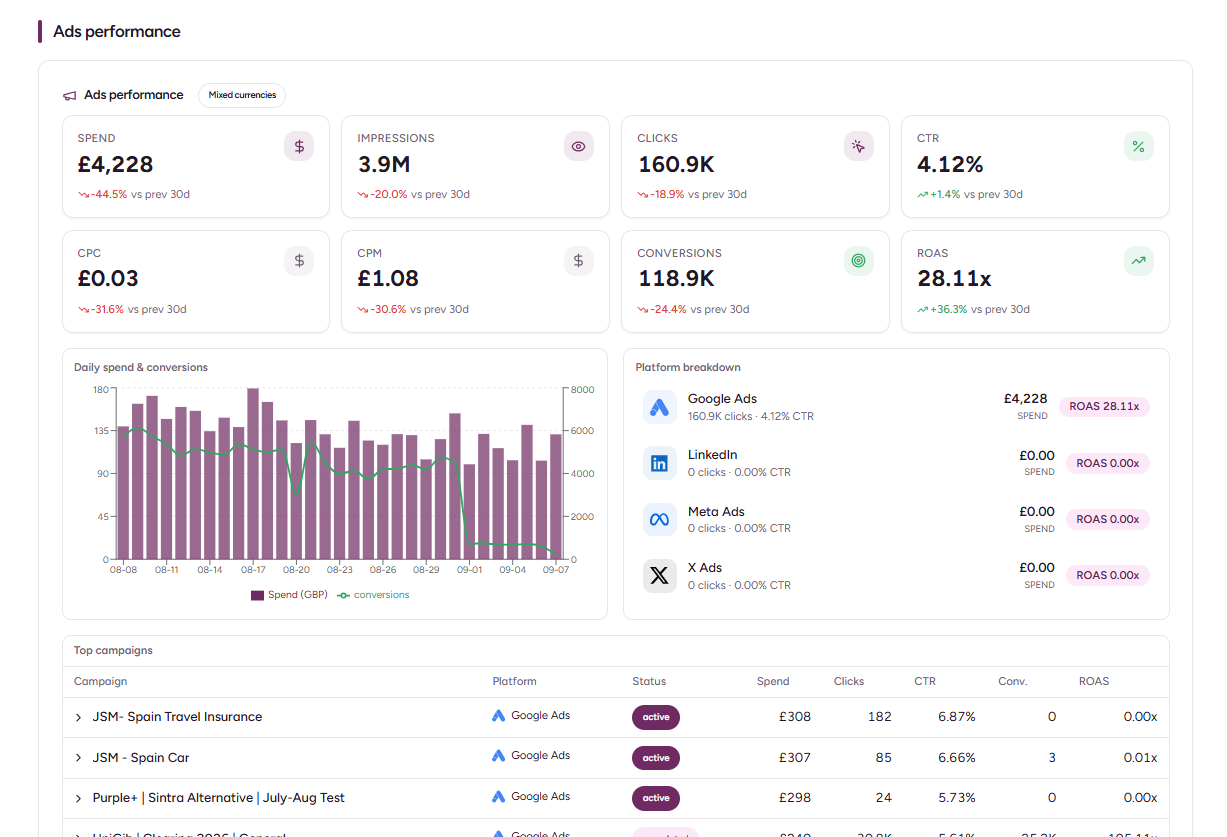
Purple+ can bring campaign performance back into the workspace, under the Results tab.
Useful metrics include:
- Spend
- Impressions
- Clicks
- Conversions
- Cost per conversion
- Purchase value
- ROAS
- Campaign status
- Meta review status
Remember that delivery status and review status are different. An ad may be paused by you, pending review, rejected, or active under a paused campaign.
Common issues
My Instagram account is connected but I cannot run ads
Meta advertising permissions come through the Facebook / Meta connection. An Instagram-only connection is not enough for the ads permissions used by Meta.
My campaign was created but is not delivering
Check the platform review status, campaign/ad-set schedule, budget and whether a parent campaign or ad set is paused.
My conversion campaign will not validate
Check that the correct Pixel or dataset is available and that the optimisation event exists.
My image or video fails
Use a supported format and make sure the media is fully accessible to the publishing service. For standard Meta ads, JPEG/PNG images and MP4/MOV video are the safest choices.
Key takeaway
Purple+ removes much of the mechanical work involved in Meta Ads Manager without removing the controls that matter. Give it a clear brief, review the objective, audience, budget and creative, then use the performance data to decide what to scale, change or stop.