
X Ads
Create X Ads campaigns, promote posts and monitor performance with Purple+.
Purple+ can create and manage paid campaigns on X, including new standalone campaigns and paid promotion of existing posts.
The platform hierarchy is Campaign → Line Item → Promoted Post, but Purple+ handles that structure in the background.
What you can do
X Ads includes:
- Standalone campaigns
- Promotion of existing X posts
- Engagement, traffic, awareness, video-view and app-promotion goals
- Location targeting
- Language targeting
- Daily budgets and schedules
- Real-time reporting for spend, CPE, CPM and link clicks
- Campaign and ad lifecycle management
Keyword targeting and follower look-alike targeting are not part of the current supported workflow.
Before you start
You need:
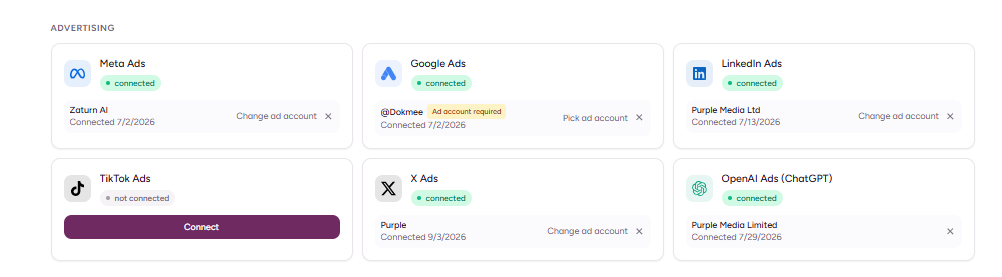
1. An X account connected to Purple+.
2. An X Ads account.
3. Permission to advertise from that account.
4. A destination URL for traffic campaigns.
5. An existing post if you want to promote organic content.
Purple+ handles the older OAuth 1.0a request-signing requirement in the background. There is no manual signing process for you.
Create a standalone X campaign
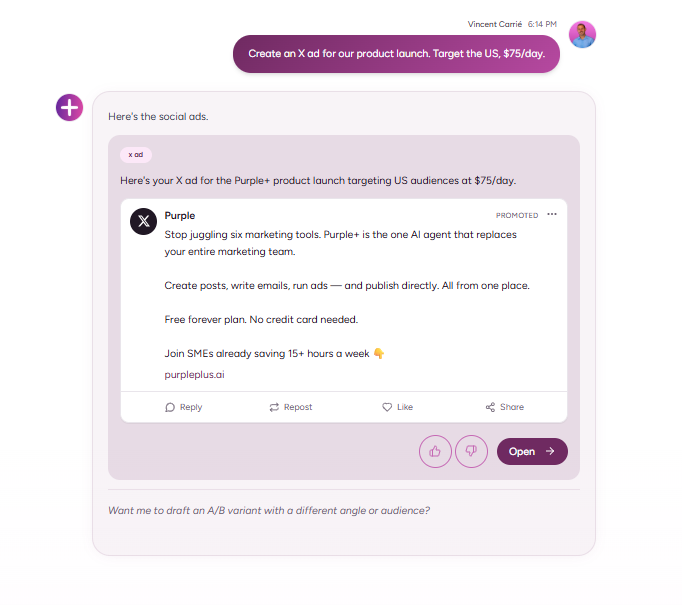
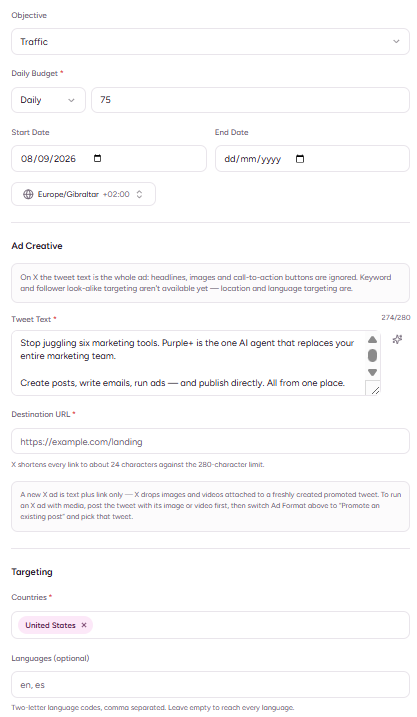
Example: Create an X ad for our product launch. Target the US, $75/day.
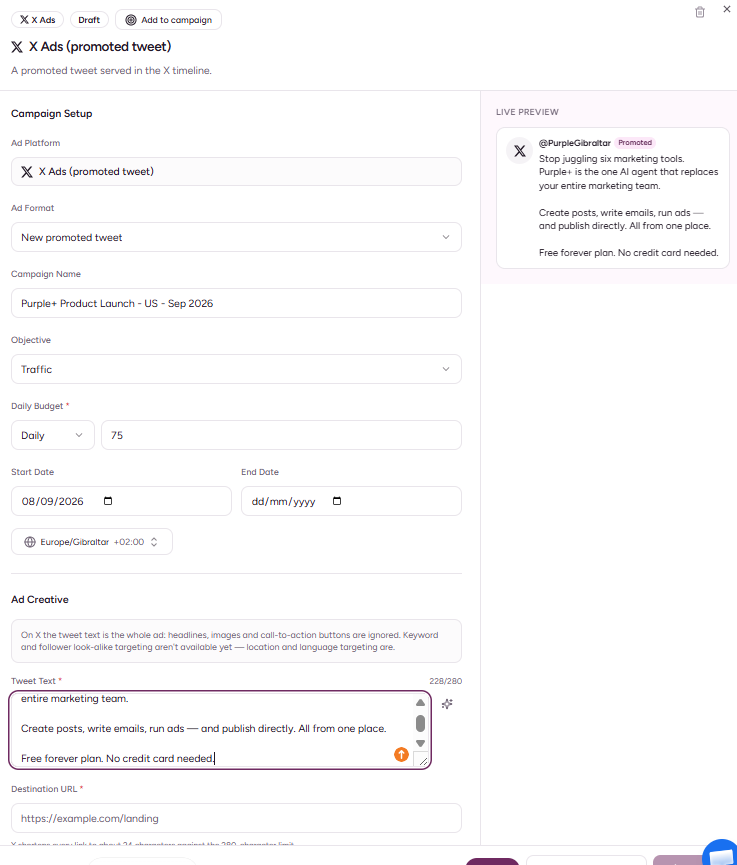
For X, the body of the ad is the post text.
Keep in mind:
- Standard post text has a 280-character limit.
- Links count towards the effective text limit because X shortens them.
- A conventional Meta-style headline field is not used.
- Standalone campaign handling is primarily text + destination focused in the current integration.
Promote an existing post
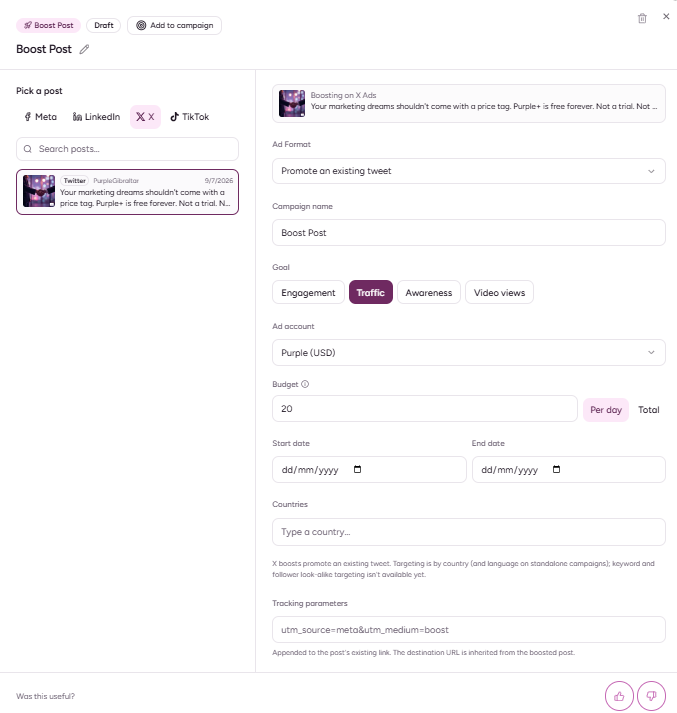
You can turn an existing X post into paid media.
Head to Ads > Boost Post and simply select your chosen post.
Capture:
- The selected post
- Campaign goal
- Budget and schedule
- Promotion / publish confirmation
Targeting
Purple+ can use:
- Country / location targeting
- Language targeting
Writing effective X ad copy
X has less room than most ad platforms. Purple+ is already optimized for it.
A useful structure is:
1. Lead with the point.
2. Give one clear benefit.
3. Add proof or specificity where possible.
4. Finish with the action.
5. Avoid wasting characters repeating what the landing page title already says.
Review before publishing
Check:
- X Ads account
- Campaign objective
- Post text
- Destination URL
- Audience
- Budget
- Schedule
Because ad copy is so compact on X, read the final post as it will actually appear. Remove unnecessary setup language.
Monitor performance
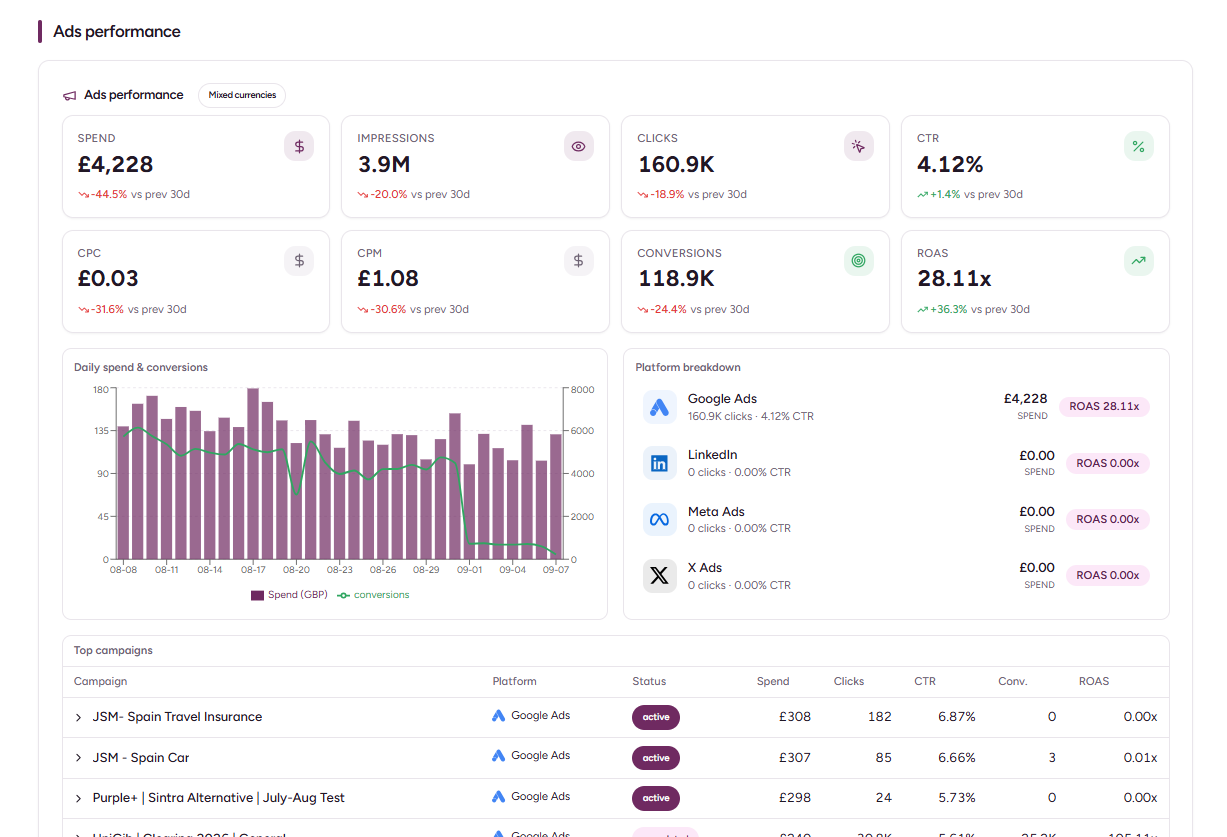
Purple+ can pull X Ads performance including:
- Spend
- Cost per engagement
- CPM
- Link clicks
- Status
Just head to the Results tabs and see the results.
Current limitations
The current X Ads integration does not include:
- Keyword targeting
- Follower look-alike targeting
If those controls are essential to a campaign, build that part directly in X Ads Manager and use Purple+ for the supported planning, copy and reporting workflow.
Common issues
My post is too long
Remember that the destination link consumes part of the effective character count.
I expected an image/headline workflow like Meta
The current standalone X integration does not use Meta-style headline, image and CTA fields in the same way. Build the campaign around concise post copy and the destination.
Good prompts to copy
> Create an X traffic campaign for our research report. US + UK, £40/day, seven days. Write five post variations under 220 characters.
> Promote our highest-engagement X post from the last seven days with an engagement objective and a £30/day budget.
> Compare my active X campaigns by link clicks, CPM and cost per engagement. Flag anything that should be paused.
Key takeaway
X Ads with Purple+ is intentionally straightforward: concise copy, a clear objective, a sensible audience and fast performance feedback. Use organic winners as paid starting points when possible.