
How to Keep Marketing Campaigns on Track When Priorities Change

How to Keep Marketing Campaigns on Track When Priorities Change
A product launch moves, a promotion ends early, a budget changes or a new business objective takes priority. Marketing teams must adjust their plans without missing deadlines or publishing outdated information.
The challenge is that one change can affect multiple assets. A revised offer may require updates to social media posts, email campaigns, paid ads, landing pages and scheduled content. If the team changes the original brief but misses one of these assets, customers may receive conflicting messages.
Marketing campaign change management is the process of assessing, approving, communicating and implementing changes to an active campaign. It helps teams identify affected assets, assign responsibility, update content and verify that the correct versions go live.
A process needs four things: clear decision-making authority, a record of approved changes, an inventory of affected assets, and checks before publication. Marketing software can support these steps by connecting campaign information, task ownership and publishing workflows.
For example, marketing automation software can help teams coordinate campaign tasks, content planning, approvals and publishing within a connected workflow.
Why Marketing Campaigns Lose Momentum When Priorities Change
Last-minute changes create problems when teams lack a reliable way to communicate decisions and track their implementation.
Outdated campaign assets remain in circulation
Changing a launch date in a campaign brief does not automatically update scheduled posts, email sequences, ad copy or website banners. Each asset needs an owner and a status so the team can confirm whether it requires revision.
Team members follow conflicting instructions
A copywriter may use the latest brief while a designer works from an older file. An external agency may not receive the update until production has already started.
A single source of truth helps prevent conflicting versions. The team should record the approved change in one central location and notify everyone responsible for implementing it.
Approvals delay revised content
Previously approved material may no longer be valid after a change to pricing, promotional terms, audience targeting or product claims. Teams need to know which revisions require renewed approval and who can authorise them.
New requests disrupt existing deadlines
Treating every new request as urgent makes it difficult to protect planned work. Teams need a consistent way to compare business impact, urgency, customer risk and the effort required to implement a change.

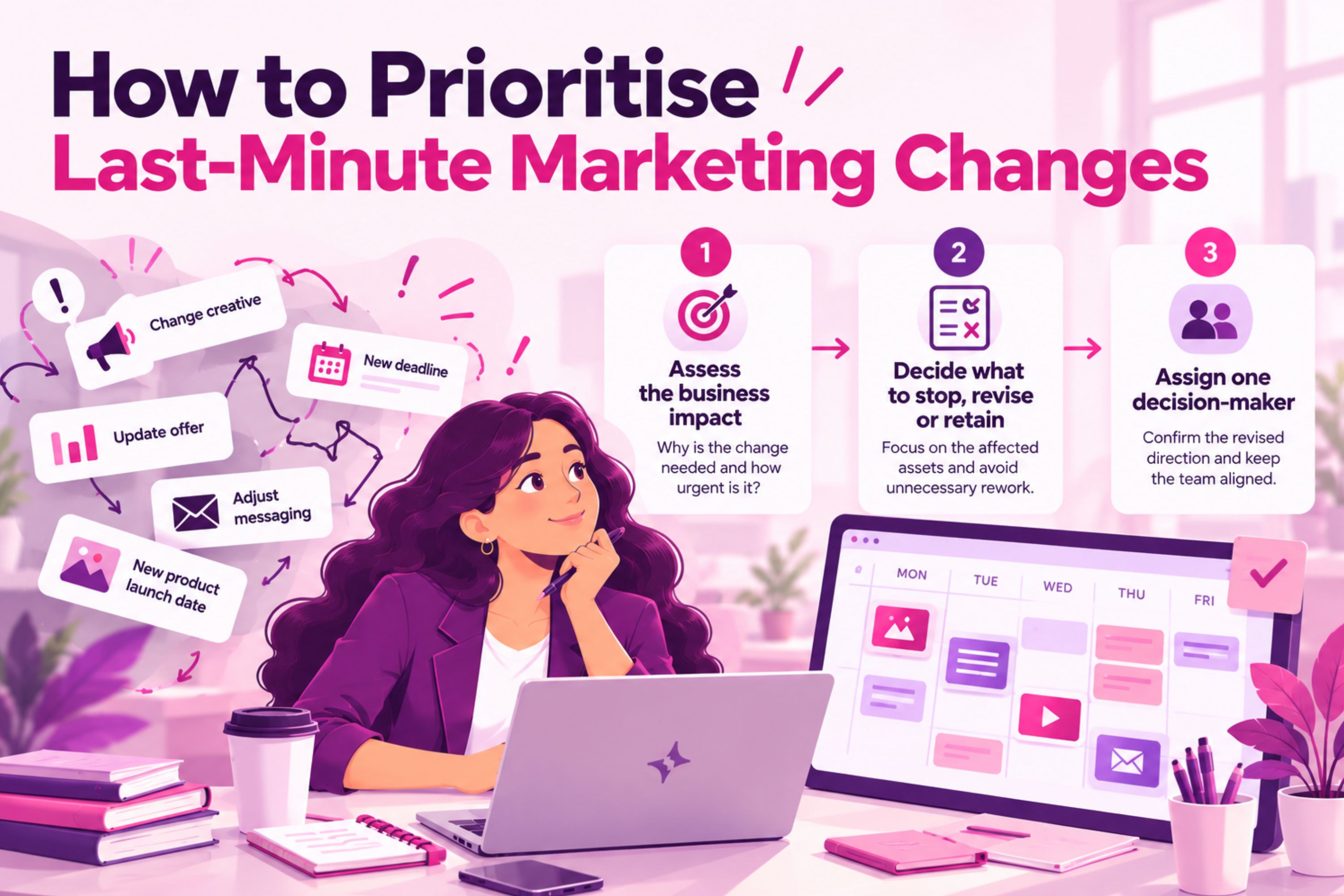
How to Prioritise Last-Minute Marketing Changes
Before revising a campaign, assess the request and decide what should happen to the work already in progress.
1. Assess the business impact
Identify why the change is necessary and how quickly the team must respond.
Consider:
-
Business impact: Does the change affect revenue, lead generation, a product launch or a key business objective?
-
Urgency: Is there a deadline that cannot move?
-
Customer risk: Could existing content communicate an incorrect price, offer or product detail?
-
Implementation effort: How much approved or scheduled work needs revision?
-
Dependencies: Which other campaigns, channels or teams rely on the current plan?
An expired offer or incorrect price may require immediate action. A preference for different creative may allow the team to finish the current campaign before making changes.
2. Decide what to stop, revise or retain
A new priority should not automatically restart the entire campaign.
Suppose a retailer moves a product launch from Monday to Thursday. The team may need to pause launch announcements, reschedule the email and update advertising. Unrelated educational posts can remain scheduled if they are still accurate and relevant.
Record which activities must stop, which require changes and which can continue. This prevents unnecessary rework and keeps the team focused on the affected assets.
3. Assign one decision-maker
The campaign owner or marketing manager should coordinate the change and confirm the revised direction. Other stakeholders can provide input, but the team needs a clear authority for resolving conflicting requests.
Document who approved the change, what decision they made and when it takes effect. This is particularly important when several departments or external partners contribute to the campaign.
How to Update Marketing Campaign Assets Without Missing Anything
Once the team approves a change, it needs to trace the change through every affected channel.
Step 1: Record the approved change
Maintain a change log with the following information:
-
Original detail and approved replacement.
-
Reason for the change.
-
Effective date and implementation deadline.
-
Approver and task owner.
-
Affected assets and channels.
-
Current status of each update.
For example, if a promotion ends two days early, the record should identify the new end date, the assets that mention the original date and the people responsible for updating them.
Step 2: Create an inventory of affected assets
Check every place where the original campaign information appears:
-
Social media posts and scheduled content.
-
Email campaigns and automated sequences.
-
Paid search and social ads.
-
Landing pages and website banners.
-
Blog articles and downloadable resources.
-
Sales materials and promotional graphics.
A shared publishing calendar can help the team identify upcoming content and its status. For social campaigns, publishing across multiple social platforms can also help coordinate channel-specific versions of the same campaign.
Step 3: Update the source before revising individual assets
Revise the master brief first. Use the approved version to check each affected asset rather than making independent edits based on separate messages.
A launch-date change may affect countdown posts, email subject lines, advertising deadlines and calls to action. A price change may also require updates to promotional terms, landing-page copy and creative assets.
AI can help draft revised content or flag outdated information, but it cannot guarantee it has identified every outdated asset. A person must verify the final versions against the approved brief.
Step 4: Track each asset through completion
Use a consistent status system to show what still needs attention.
|
Status |
Meaning |
|
Impact assessed |
The team has determined whether the asset needs a change |
|
Update required |
An owner has been assigned |
|
In review |
The revised asset awaits checking or approval |
|
Approved |
The updated version has passed the required review |
|
Scheduled |
The approved version is ready to publish |
|
Completed |
The asset has been published, or the task closed |
|
Cancelled |
The asset is no longer required |
The team should be able to identify outstanding changes without asking every contributor for an update.
How to Prevent Outdated Marketing Content from Going Live
A revised campaign plan is only useful if the old material no longer reaches customers.
Check scheduled posts, ads and email sequences
When a material change occurs, review scheduled content and active campaigns. Pause or remove assets that could communicate incorrect information until the team confirms the next action.
Check automated email sequences as well as scheduled posts. An email triggered by a customer action may still send an old offer even if the main campaign calendar has been updated.
For promotions, record the approved start and end dates and assign responsibility for checking that expired offers no longer appear.
Verify landing pages and destination links
Correcting an ad doesn't solve the problem if its landing page still shows the old price or promotion. Check the complete customer journey, including ads, links, landing pages and relevant follow-up emails.
Where the change affects customer eligibility, pricing or contractual terms, obtain the appropriate review before publishing revised material.
Use a pre-publication checklist
Before releasing an updated asset, confirm that:
-
The offer, price and dates match the approved brief.
-
The copy and creative use current information.
-
Links lead to the correct destination.
-
Terms and eligibility details remain accurate.
-
Required approvals are complete.
-
The publishing schedule reflects the revised plan.
-
Superseded versions have been removed or clearly marked.
For high-risk changes, a second reviewer should verify the final asset. This is especially useful when the person making the changes may overlook an error in their own work.
How to Manage Campaign Approvals When Priorities Change
Not every change requires a complete approval cycle. The review should match the potential impact.
|
Change type |
Appropriate review |
|
Minor formatting edit |
Proofreading or owner check |
|
Publication date change |
Verify dates, links and dependent assets |
|
New price or offer |
Check terms, eligibility, creative and destination pages |
|
Change in target audience |
Review messaging, targeting and claims |
|
Major campaign repositioning |
Reassess the brief, creative and channel plan |
|
Legal or regulatory correction |
Obtain the required specialist approval |
These are general examples. Regulated industries and contractual obligations may require additional controls.
Define the approval rules before a campaign launches. This helps teams move quickly during urgent changes without bypassing necessary reviews.
For small teams, AI marketing automation for small businesses offers further context on choosing practical workflows to automate. When evaluating software, confirm that its actual approval, notification and publishing controls meet your requirements.
How to Keep Internal Teams and External Partners Aligned
Campaign changes often affect people beyond the marketing department. Sales may need revised offer details, customer support may need updated terms, and an agency may need to replace creative assets.
Send one clear notification that explains:
-
What changed and why.
-
When the change takes effect.
-
Which assets or deliverables are affected.
-
Who owns each action.
-
When the updates must be completed.
Avoid vague instructions such as “Please use the latest version.” Link to the approved brief or file and specify the required action.
For external partners, agree on who can request changes, who approves additional work and how urgent revisions affect delivery dates. If the business relies on outside support, marketing outsourcing for small businesses provides relevant context for deciding how responsibilities can be divided.
How Marketing Software Supports Campaign Change Management
Marketing software helps teams coordinate approved changes, but it does not replace sound decision-making.
Useful capabilities include:
-
Centralised campaign records: Keep briefs, deadlines and current assets accessible to the relevant team members.
-
Task ownership: Assign revisions and track their completion.
-
Content calendars: Identify scheduled assets that may need to move or change.
-
Approval workflows: Route revised content to the right reviewers.
-
Notifications: Inform task owners when an update requires action.
-
Publishing controls: Help teams manage scheduled content through supported integrations.
-
Performance reporting: Review campaign results after the change.
Purple+ combines AI-assisted content creation with campaign management, content planning, social publishing, workflow automation and reporting. Businesses can evaluate Purple+ marketing software against their existing process to determine whether connected workflows would reduce manual coordination.
The right setup depends on the channels, integrations, and approval controls the business needs. Automation should make approved decisions easier to implement, not publish unreviewed changes automatically.
How to Measure the Effectiveness of Your Change Process
Track a small set of operational metrics to find out whether the process reduces disruption.
Time to implement a change: Measure the time between approval and completion of the required updates.
Missed updates: Record instances where outdated information remains in scheduled or published content after a change.
Rework hours: Track time spent correcting missed assets, resolving conflicting instructions and recreating work.
Approval turnaround: Measure how long revised assets wait for review.
Campaign disruption: Monitor missed deadlines and delays to dependent activities.
Change-related costs: Estimate additional labour and external expenses caused by revisions.
Establish a baseline before changing the process, then review the metrics regularly. If the same problems keep recurring, the underlying issue may be unclear ownership, incomplete briefs or weak asset tracking rather than the speed of content production.
Marketing Campaign Change-Management Checklist
Use this checklist whenever an approved campaign needs to change.
-
Record the change and its business reason.
-
Confirm the decision-maker and approve the revised direction.
-
Assess effects on deadlines, budget, messaging and related campaigns.
-
Identify affected assets, channels and automated sequences.
-
Assign owners and deadlines for every required update.
-
Update the master brief and individual assets.
-
Obtain the appropriate approvals.
-
Pause, replace or cancel outdated scheduled material.
-
Verify dates, offers, links, landing pages and creative.
-
Confirm all updates are complete.
-
Review the outcome and document lessons for future campaigns.
Routine changes may need only a few checks. Major changes affecting multiple channels, budgets or compliance require more formal review.
Frequently asked questions
Written by
AI & SEO Content writer
Tetiana Reusche is an SEO Content Strategist and AI marketing specialist who specialises in creating content that helps businesses improve their online visibility and turn organic traffic into business growth. Her work combines search strategy, content marketing, and AI-driven optimisation to produce content that performs across search engines, answer engines, and modern AI-powered discovery platforms. Over the years, she has developed SEO strategies and content frameworks for companies in the SaaS, software, miltech, travel, real estate, home renovation, lifestyle, and entertainment industries. She enjoys translating complex topics into practical, engaging content that is valuable for both readers and search engines. Tetiana focuses on building topical authority through strategic keyword research, content planning, search intent analysis, and well-structured content ecosystems. She regularly creates keyword clusters, content recommendations, editorial roadmaps, and SEO strategies that help brands reach the right audience, strengthen their authority, and generate meaningful business results. Her articles explore SEO, AI-powered marketing, social media management, content strategy, and digital growth, with a practical focus on helping businesses create discoverable, useful content designed to convert.