
AI Marketing Automation for Small Businesses: What Should You Actually Automate?

Most small businesses don't need more automation.
They need less work.
There's a difference.
Automating a bad process just means you get bad results faster.
We've seen businesses automate things that took five minutes and leave the jobs that took five hours completely manual.
So if you're running marketing with a small team, what should AI actually be doing?
That's what we're looking at here.
Not the fantasy version where you press one button and an AI agent becomes your entire marketing department.
The useful version.
The stuff that takes time every week. The repetitive jobs. The copying and pasting. The reporting. The scheduling. The first drafts.
The work that needs doing, but doesn't necessarily need a human sitting there doing every single step.
What is AI marketing automation?
AI marketing automation is using software to handle recurring marketing tasks with less manual input.
That might mean scheduling social posts, creating first drafts, building campaign variations, organising content calendars, collecting performance data or moving a campaign through an approval process.
The important bit is that automation is bigger than AI content generation.
Getting ChatGPT to write a LinkedIn post is AI.
Getting a system to plan the post, create a draft, put it into your content calendar, send it for approval, publish it and record the result is closer to marketing automation.
That distinction matters.
A lot of businesses have automated one tiny part of their marketing while keeping the rest of the process completely manual.
It's like buying a dishwasher and then washing every plate by hand before putting it inside.
The five marketing jobs we'd automate first
If you're a small business, you probably don't need a complicated 47-step workflow.
Start with the jobs that are repetitive, predictable and easy to review.
1. Social media scheduling and publishing
This is usually the easiest win.
If you're posting to LinkedIn, Instagram, Facebook, X or other channels, the mechanics are repetitive.
You still need to decide what you want to say.
You still need to make sure it sounds like you.
But you don't need to remember to publish it at 9:15 on Tuesday morning.
A sensible workflow looks like this:
Idea → draft → review → schedule → publish → measure
The automation handles the middle of that process.
The human still owns the message.
That's a good trade.
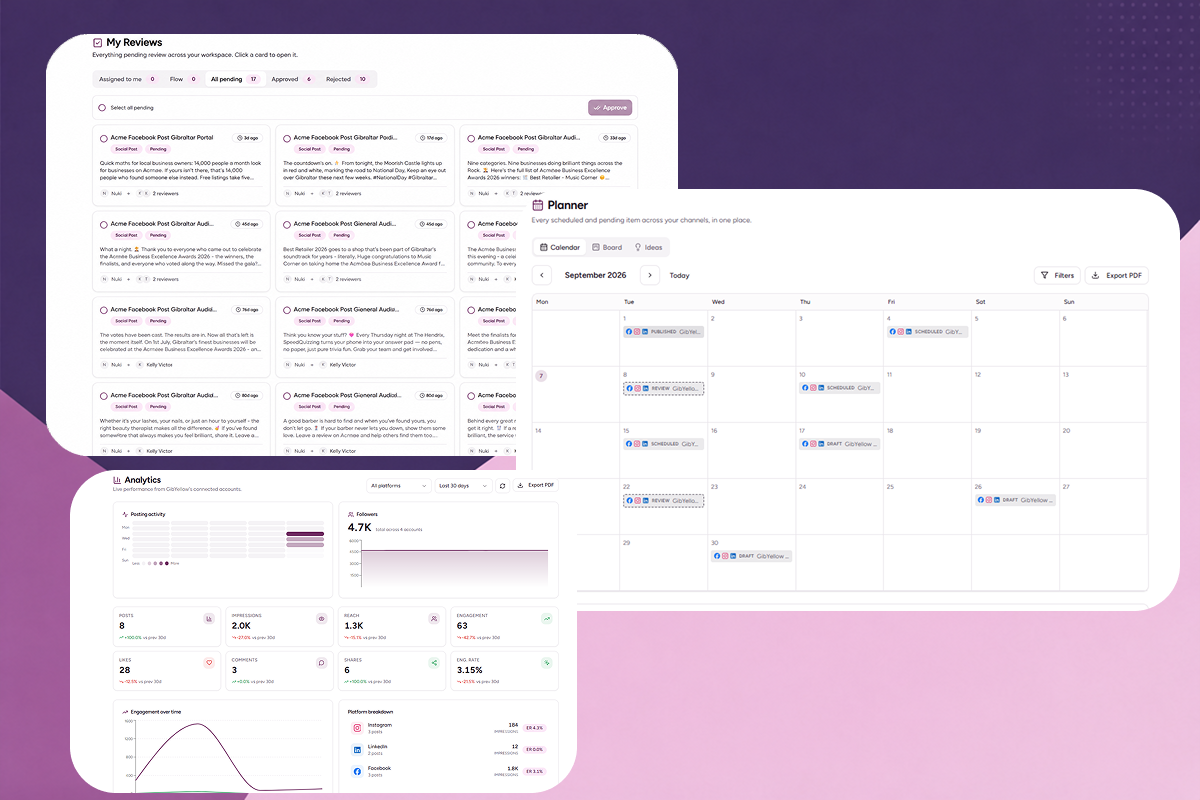
Purple+ lets businesses manage content calendars, schedule posts and publish across connected social channels from one workspace. It also includes approval workflows, so AI-generated content doesn't have to go straight from prompt to public. See Purple+ marketing automation.
2. Content production and repurposing
Creating content is rarely the only problem.
The real problem is everything that happens after you have the idea.
One podcast episode might become:
-
A LinkedIn post
-
Three short social posts
-
An email
-
A blog article
-
Several video clips
-
A handful of quotes
-
A follow-up post next week
Doing all of that manually is how a good idea turns into six hours of admin.
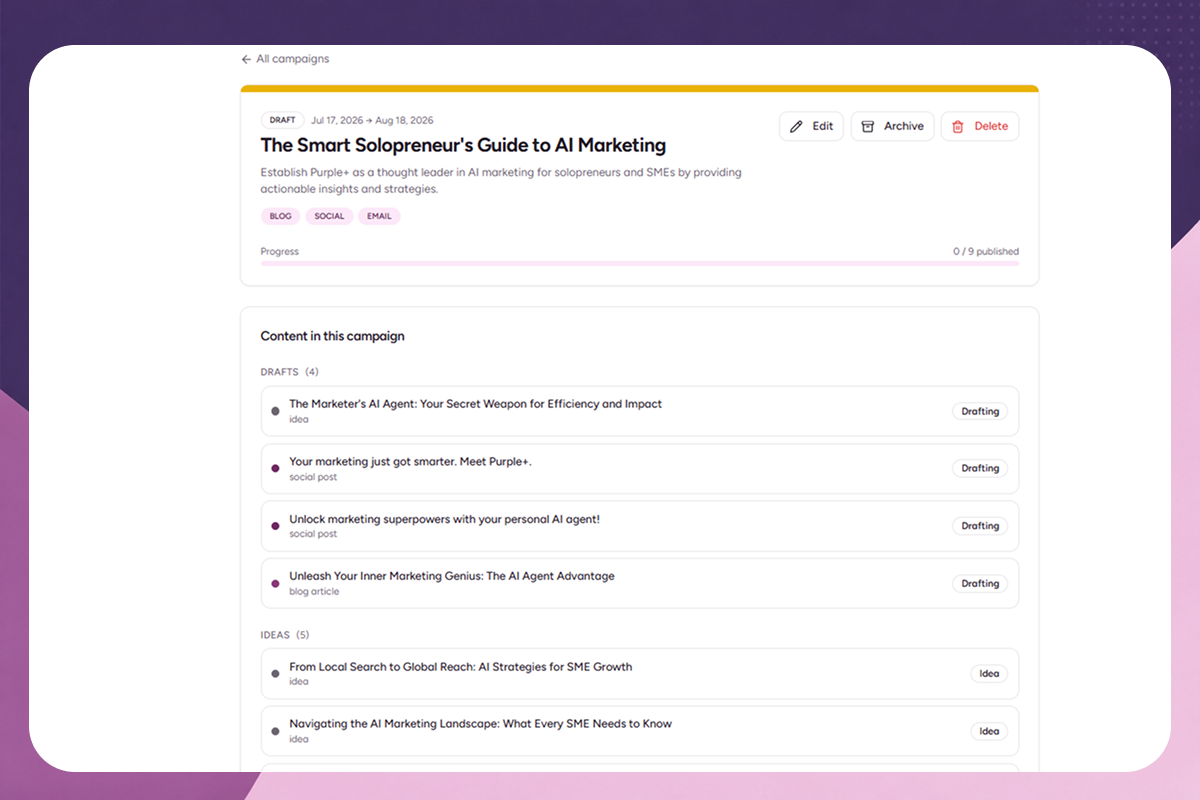
AI is very good at the first draft.
It can turn one source idea into multiple formats, give you variations and get you past the blank page.
But this is where businesses get it wrong.
Don't automate the publishing of everything AI produces.
Automate the production process.
Keep the editorial judgement.
That gives you speed without filling your feeds with content that sounds like it was written by a committee of robots.
3. Paid advertising setup
Paid advertising contains a surprising amount of repetitive work.
Writing headline variations.
Writing descriptions.
Creating different versions of primary text.
Producing creative variations.
Setting up campaign structures.
Checking results.
None of that means you should let AI spend money without oversight.
The useful automation is around the execution.
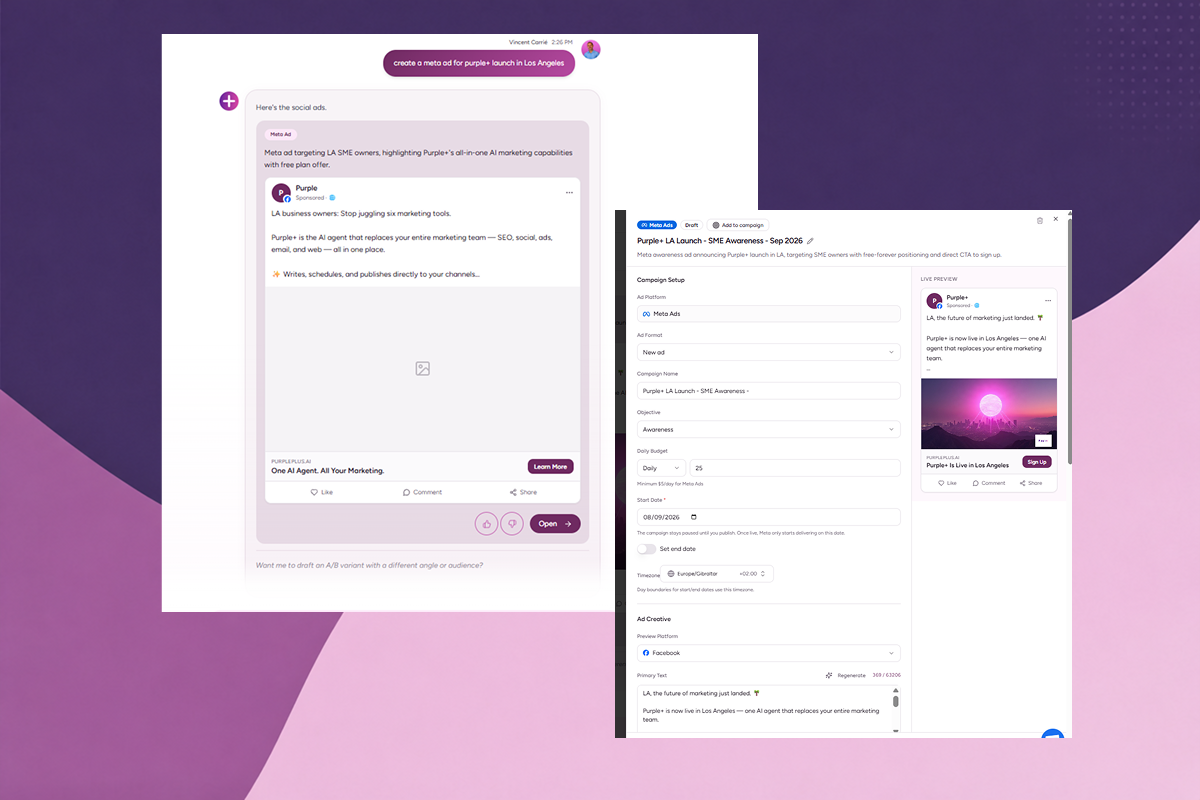
For example, Purple+ can generate Google Search and Display ad variations, publish campaigns to a connected Google Ads account and bring performance data back into the platform. See Purple+ Google Ads management.
The same principle applies to Meta. Purple+ can generate copy and creative, build campaigns and publish them to Meta, while keeping targeting and budget decisions editable by the user. See Purple+ Meta Ads management.
The important distinction is:
Automate the setup. Don't automate responsibility.
A $500 advertising mistake is still a $500 advertising mistake, even if AI made it in three seconds.
4. Email marketing
Email is another area where the repetitive work adds up quickly.
You might have:
-
A weekly newsletter
-
Promotional emails
-
Product announcements
-
Lead follow-ups
-
Welcome emails
-
Re-engagement campaigns
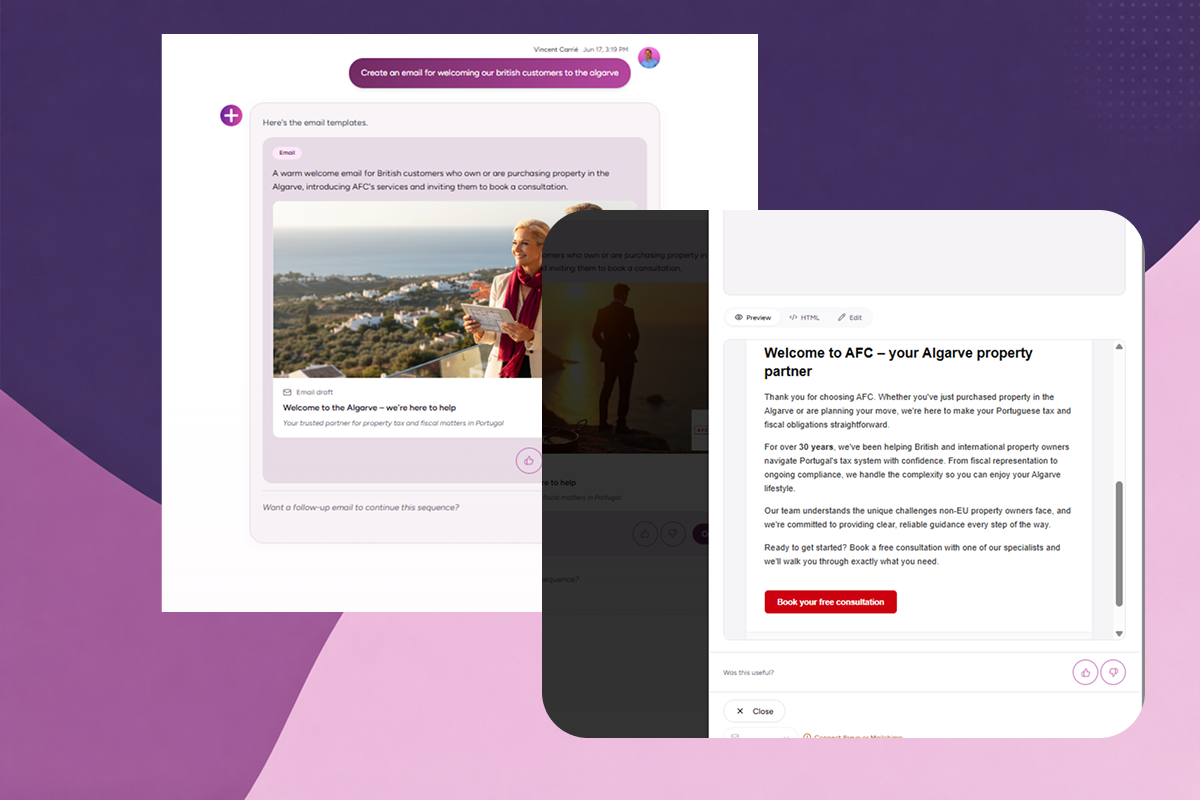
AI can help draft the copy.
Automation can handle scheduling and recurring sends.
Your email platform can handle delivery.
The bit that should stay human is the decision about what you're actually saying and why.
A useful rule:
Automate the mechanics. Review the message.
If your business sends the same type of newsletter every week, there is no prize for manually rebuilding the same workflow every Friday.
5. Reporting
This might be the least exciting automation on the list.
It might also save you the most annoying hours.
Marketing reporting often means opening Google Ads, Meta, Google Analytics, social platforms and email software, finding the relevant numbers and putting them into a spreadsheet.
Then someone asks:
"Can you also add last month?"
So you do it again.
Reporting is an excellent candidate for automation because the process is repetitive and the inputs are structured.
The important part is what happens after the numbers are collected.
AI can help explain what changed.
It can flag unusual movements.
It can summarise performance.
But someone still needs to decide what the business should do about it.
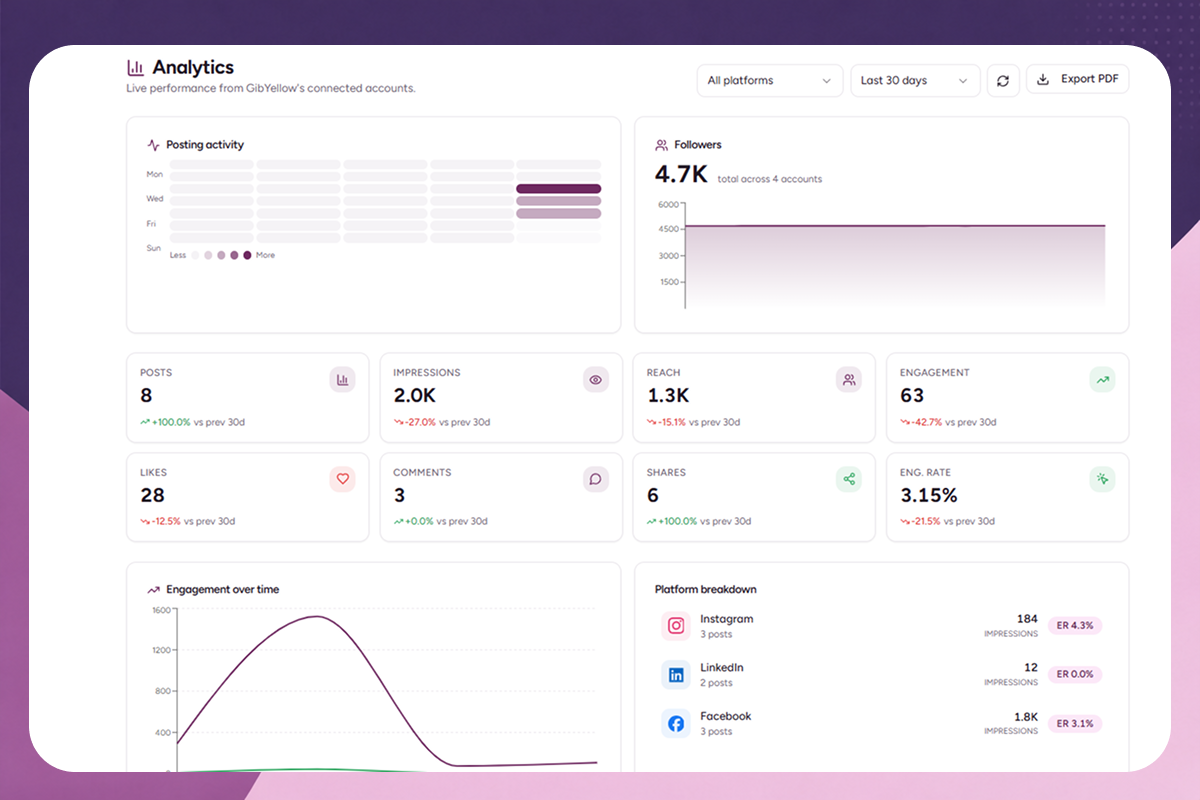
Purple+ brings campaign and marketing performance into a central workspace as part of its marketing automation workflow. See Purple+ marketing automation.
What should you automate?
Here's the simple version.
|
Marketing task |
Automate? |
Why |
|---|---|---|
|
Social media scheduling |
Yes |
Highly repetitive and easy to review |
|
Cross-platform publishing |
Yes |
Removes repetitive posting work |
|
Content repurposing |
Yes |
One idea can become multiple assets |
|
First drafts |
Yes |
AI is fast at getting past the blank page |
|
Email drafts |
Yes |
Easy for a human to review before sending |
|
Ad variations |
Yes |
Useful for producing and testing alternatives |
|
Campaign setup |
Mostly |
Good for repetitive configuration, but review before launch |
|
Weekly reporting |
Yes |
Data collection and summaries are repetitive |
|
Content approvals |
Partly |
Automate routing, keep final approval human |
|
Campaign strategy |
Partly |
AI can assist, humans should make the trade-offs |
|
Brand positioning |
No |
Requires judgement and business context |
|
Sensitive customer replies |
No |
The cost of getting the tone wrong can be high |
|
Crisis communications |
No |
Too much context and risk |
|
Major budget decisions |
No |
Financial responsibility should stay with a human |
|
Final approval |
No |
Someone needs to own what goes live |
The pattern is pretty obvious.
Automate the process. Keep the judgement.
What should you not automate?
This is the part that tends to get skipped.
AI marketing automation is useful because it removes work.
It becomes dangerous when it removes accountability.
We would be very cautious about fully automating:
Brand positioning
Your positioning is not a repetitive task.
It's a business decision.
AI can help you explore positioning ideas. It should not quietly decide what your company stands for.
Customer conversations
A chatbot replying to "What are your opening hours?" is one thing.
A customer complaining about a delayed order is another.
The more personal, sensitive or commercially important the conversation becomes, the more useful human judgement becomes.
Major campaign decisions
AI can tell you that one campaign is getting a better cost per conversion.
It doesn't automatically know whether you should move the entire budget.
There might be a seasonal factor.
There might be a tracking problem.
There might be a strategic reason to keep the expensive campaign running.
Numbers are useful.
Context is better.
Final approval
We don't think "AI did it" is a useful excuse.
Someone should still be accountable for what gets published, what gets sent and what gets spent.
That's why approval workflows matter.
Three ways to approach AI marketing automation
You don't necessarily need an all-in-one platform.
There are three sensible approaches.
Option 1: Build your own stack
You can combine tools such as:
-
ChatGPT for drafting
-
Buffer for social scheduling
-
Mailchimp for email
-
Zapier for automation
-
Canva for creative
-
Google Analytics for reporting
-
Google Ads and Meta Ads for paid media
This can work well.
It can also become a small software project you accidentally created while trying to run a business.
The more tools you add, the more connections you have to maintain.
Option 2: Use specialist automation tools
This is a good choice when one channel is particularly important.
For example, you might use a dedicated social scheduling platform if social is your main acquisition channel.
Or a specialist email automation platform if email is where most of your revenue comes from.
The advantage is depth.
The downside is fragmentation.
Your social content lives in one place. Your campaigns somewhere else. Your reporting somewhere else.
Someone eventually has to join the dots.
Option 3: Use an all-in-one AI marketing platform
This is where platforms such as Purple+ fit.
Instead of treating social, paid ads, content, campaigns and reporting as separate jobs, the aim is to connect them.
Purple+ combines campaign management, content planning, social publishing, workflow automation, reporting and AI-assisted content creation in one workspace. See how Purple+ marketing automation works.
The advantage is not simply having more features.
It's having fewer things to coordinate.
That matters when you're a two-person marketing team pretending you're a ten-person marketing team.
When does AI marketing automation actually make sense?
A useful test is this:
If you do the same marketing task every week, ask whether a human actually needs to perform every step.
Good candidates usually have three characteristics:
-
They happen repeatedly.
-
The process is reasonably predictable.
-
A human can review the output quickly.
For example:
Write five social posts every Monday.
Good automation candidate.
Decide what our company should do about a sudden reputational crisis.
Not a good automation candidate.
Another useful test is time.
If a task takes five minutes once a month, don't spend three hours building an automation for it.
If a task takes two hours every week, it's worth looking at.
The goal isn't maximum automation.
It's maximum useful time saved.
Don't automate chaos
This is probably the biggest lesson.
If your marketing process is messy, automation will not magically fix it.
It will make the mess happen faster.
Before automating a workflow, write down what currently happens.
For example:
Current process
Idea → WhatsApp message → spreadsheet → Canva → email approval → scheduler → manual reporting
Now look at it.
There are seven handoffs.
There are probably three different places where information can disappear.
And someone is almost certainly copying and pasting the same thing more than once.
That's the opportunity.
A better process might be:
Idea → AI draft → human approval → scheduled publishing → automated reporting
Same marketing activity.
Far less admin.
That's what good automation should look like.
What does an AI marketing automation workflow actually look like?
Let's take a simple example.
Imagine a small ecommerce brand launching a new product.
Without automation, the marketing process might look like this:
-
Write the launch brief.
-
Write social copy.
-
Create creative.
-
Set up the social posts.
-
Write the email.
-
Create the Google Ads copy.
-
Create the Meta Ads campaign.
-
Send everything around for approval.
-
Publish.
-
Check performance across several platforms.
-
Build a report.
That's a lot of work for a small team.
With a connected AI marketing workflow, the process can look more like:
-
Give the campaign brief to the AI.
-
Generate the first drafts and variations.
-
Review and edit.
-
Approve the campaign.
-
Schedule or publish across the relevant channels.
-
Monitor performance.
-
Review the results and decide what to change next.
The AI isn't replacing the marketing strategy.
It's removing a lot of the admin between the strategy and the execution.
That's the useful bit.
AI marketing automation vs doing everything manually
|
Area |
Manual workflow |
AI-assisted workflow |
|---|---|---|
|
Content ideas |
Start from scratch |
Generate and refine ideas |
|
First drafts |
Write manually |
AI creates a starting point |
|
Social scheduling |
Upload each post |
Schedule from a central calendar |
|
Ad variations |
Create individually |
Generate multiple versions |
|
Campaign setup |
Repeat configuration |
Reuse structured workflows |
|
Approvals |
Email or messages |
Central approval workflow |
|
Reporting |
Collect numbers manually |
Centralise performance data |
|
Optimisation |
Review everything manually |
Use AI to surface patterns, then decide |
|
Human involvement |
High throughout |
Focused on decisions and review |
The point isn't to get rid of the human.
It's to move the human towards the parts where they add the most value.
How to start automating your marketing this week
Don't build a giant automation system.
Pick one annoying job.
We'd start with one of these:
-
Scheduling a week's social content
-
Turning one piece of content into several formats
-
Creating ad variations
-
Preparing a weekly marketing report
-
Moving content through an approval process
Then document the current workflow.
Then remove the repetitive steps.
Then test it.
Then improve it.
That's it.
You don't need 50 automations.
You need the five that remove the most work.
Where Purple+ fits
Purple+ is designed around this exact problem.
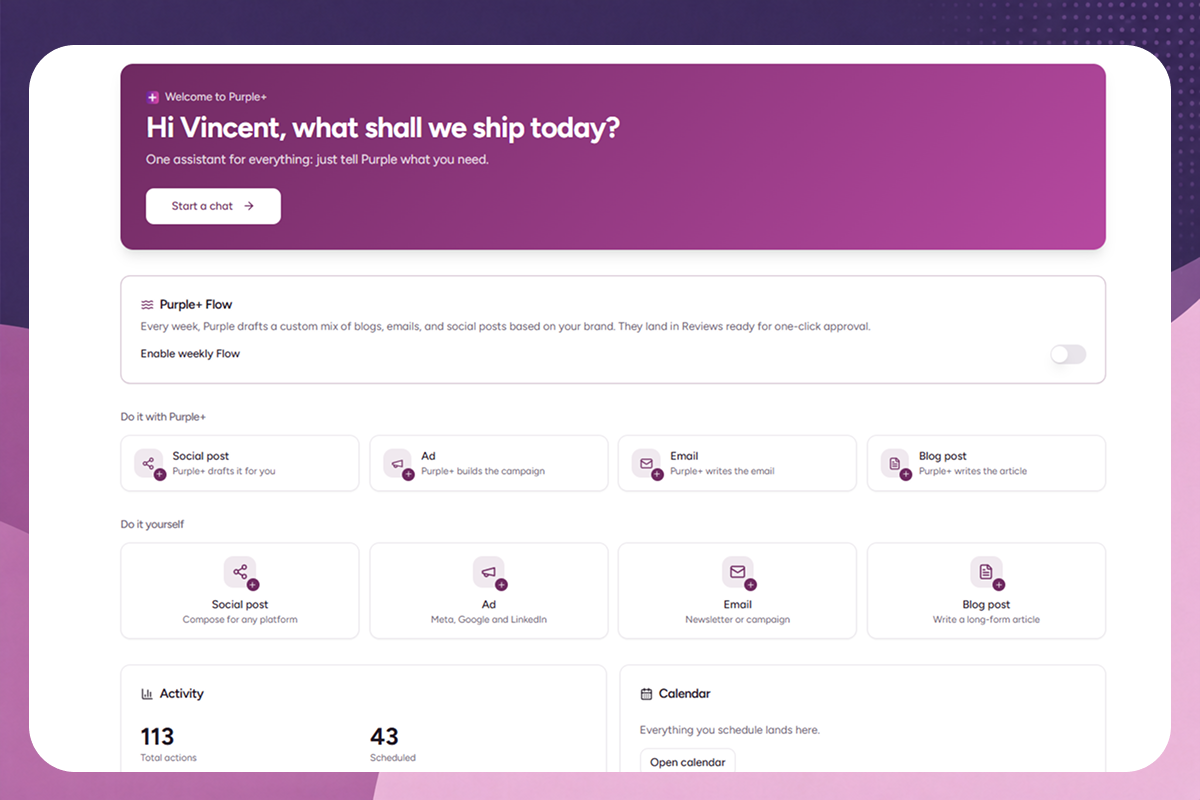
Instead of adding another AI tool to an already crowded marketing stack, it brings campaign management, content planning, social publishing, workflow automation, reporting and AI-assisted content creation into one workspace.
You can use AI to generate ideas, drafts and campaign plans, then keep the review and approval process under your control.
It also connects with the platforms businesses already use, including social channels, Meta Ads, Google Ads, Google Analytics, Google Search Console, Mailchimp, Brevo, WordPress and Shopify. See Purple+.
If you want to see what that looks like in practice, explore Purple+ marketing automation.
The bottom line
You don't need to automate your entire marketing department.
You need to stop spending human time on jobs that don't need it.
Schedule the posts.
Generate the first drafts.
Create the ad variations.
Pull the reports together.
Route the approvals.
Then spend your time on the things AI still struggles with:
Knowing what your customers actually care about.
Knowing what your brand should say.
Knowing which campaign is worth backing.
Knowing when the numbers don't tell the whole story.
That's where the human part of marketing still matters.
The best AI marketing automation doesn't remove you from the process.
It removes the boring bits around it.
Frequently asked questions
Written by
Founder & Director
Vincent Carrié is the Founder & Director of Purple Media, a full-service digital marketing agency in Gibraltar working with brands including Holland & Barrett, Vitabiotics, and Gibtelecom. Drawing on years of hands-on campaign experience, he's building Purple+ — an AI marketing agent that creates and publishes brand-aligned content across social, paid ads, SEO, and email from a single chat. He writes about applying AI to real marketing workflows, with a focus on what actually drives results for solopreneurs, SMBs, and agencies.