How to Post to All Social Media from One App

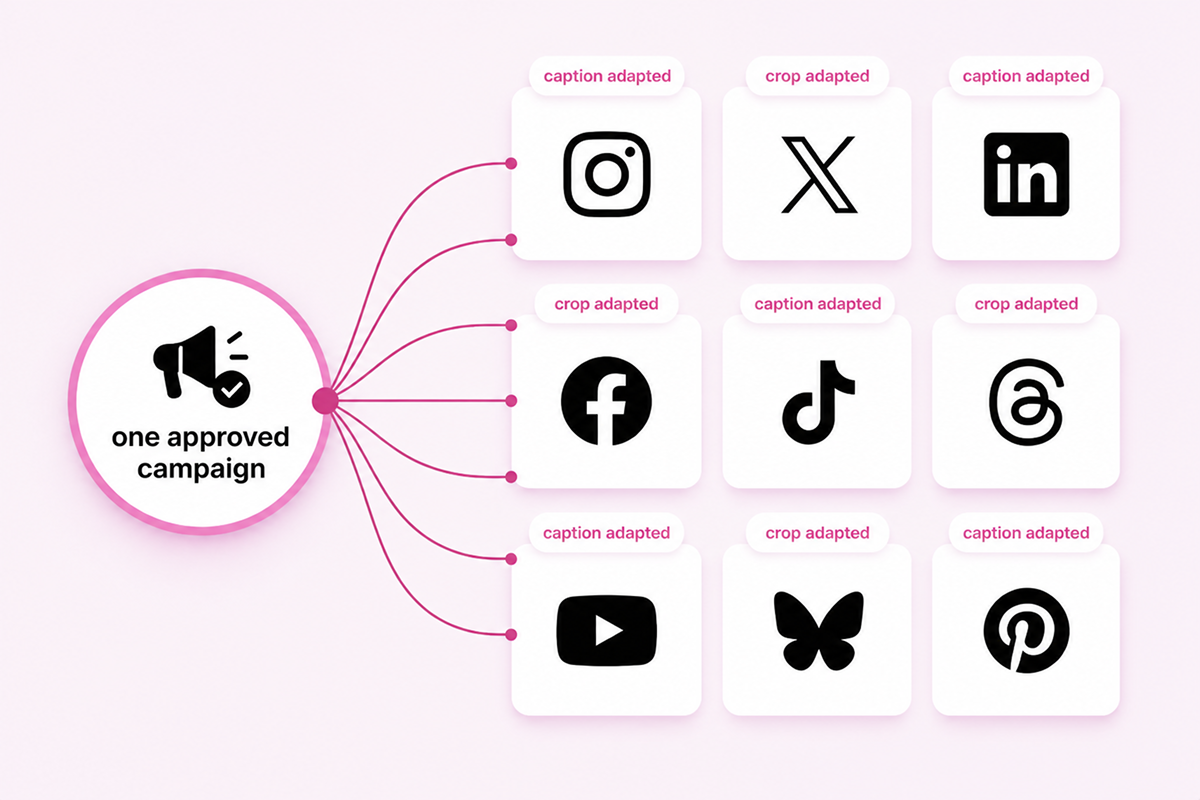
Posting to all social media from one app starts with a single campaign rather than separate posts for every platform. Instead of recreating the same content multiple times, you prepare a single campaign, customize it for each social network, and schedule all versions through a single publishing workflow. This approach keeps messaging consistent while allowing each platform to receive content tailored to its audience, format, and best practices.
Adapt One Campaign for Every Social Media Platform
The first step in posting to all social media from a single app is to create a master version of your campaign. This includes the core message, creative assets, and campaign objective, which will be shared across all platforms.
From there, each version is adapted to match the requirements of the destination platform. LinkedIn posts often include more professional context; Instagram focuses on visual content; Facebook encourages discussion; and X performs better with concise updates.
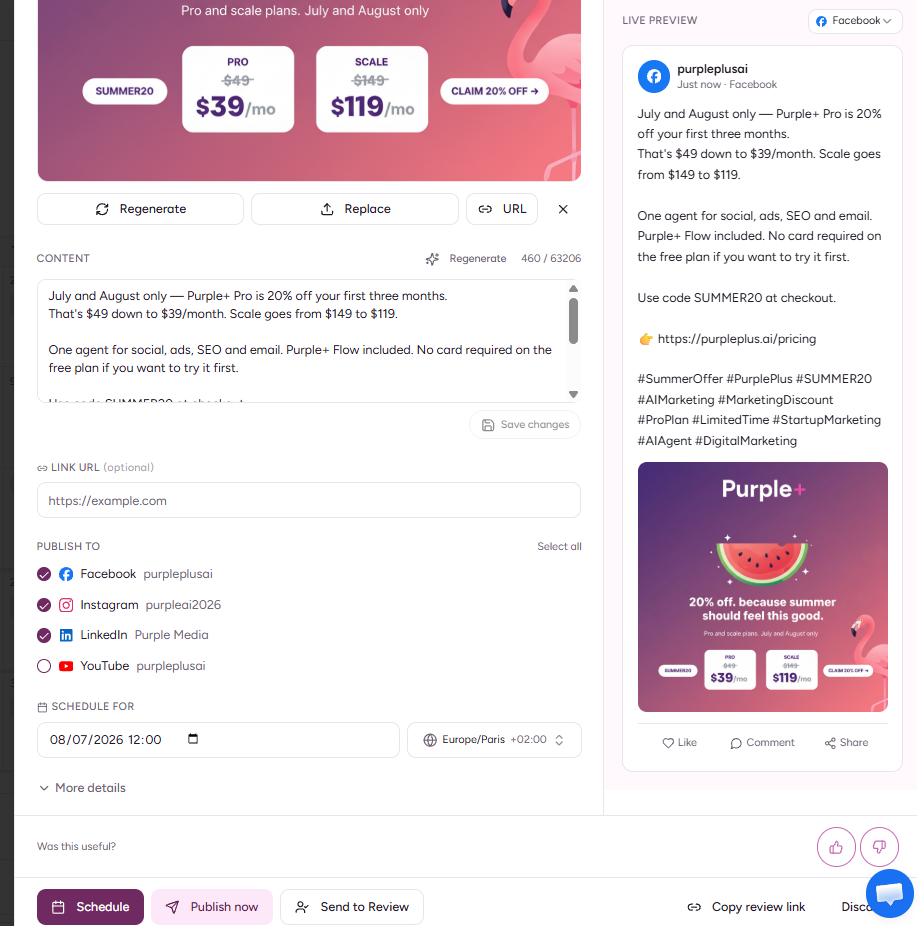
An app that posts to all social media should support platform-specific editing rather than simply duplicating content. Using social media cross-posting tools allows approved campaigns to be distributed more efficiently while giving marketers the flexibility to customize captions, visuals, and calls to action before publication.
Publish to Multiple Social Media from One Workflow
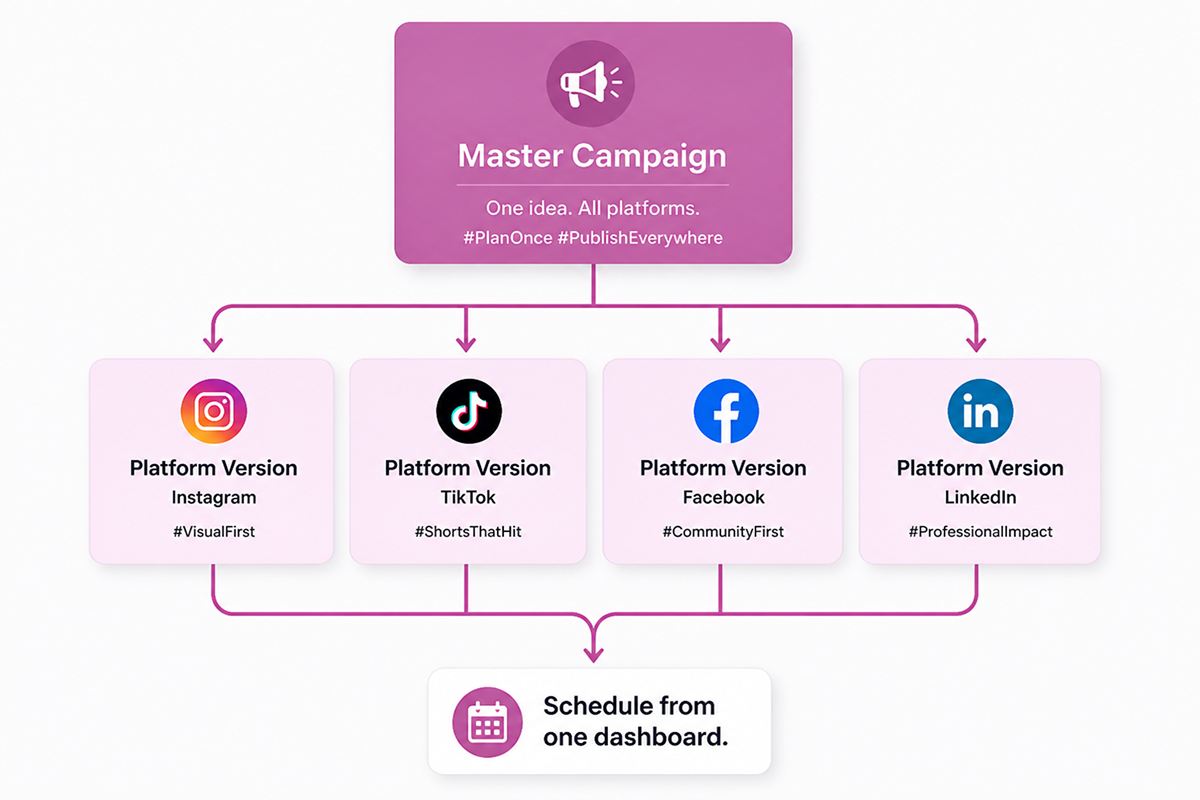
The most effective way to post across all social media from a single app is to manage every campaign through a single workflow.
Instead of creating, editing, and scheduling separate posts for each platform, marketers prepare a single campaign and build platform-specific versions before publication.
A structured workflow will include the following steps:
-
Define the campaign objective. Start by identifying what the campaign is designed to achieve: promoting a product launch, driving website traffic, generating leads, announcing an event, or increasing brand awareness.
-
Create the master version. Write the core message, prepare the approved creative assets, and gather supporting materials such as videos, graphics, landing pages, or blog links. This becomes the foundation for every social media post.
-
Adapt the content for each platform. Create individual versions for Facebook, Instagram, LinkedIn, X, and any other social networks you use. Adjust captions, hashtags, image dimensions, character limits, links, and calls to action so that every post follows platform best practices rather than duplicating content everywhere.
-
Organize media assets. Store approved images, videos, brand graphics, and campaign files in a single media library so that every platform version uses the correct creative assets.
-
Review and approve the campaign. Check captions, branding, links, product information, dates, mentions, and media before scheduling. For larger teams, this stage often includes internal reviews or client approval.
-
Schedule every post from one dashboard. Assign publishing dates and times for each platform. Some campaigns may be published simultaneously, while others can be staggered to match audience behavior or support a longer marketing campaign.
-
Review performance after publishing. Connect your analytics tools to surface engagement, reach, and click data for every platform. Use these insights to update scheduled posts, improve messaging, and identify content to repurpose for future campaigns.
Managing the entire campaign through a single workflow makes it easier to post to multiple social media platforms without having to recreate the campaign multiple times.
If a product launch is delayed, pricing changes, or new creative assets become available, updates can be made before publication without editing every platform separately.
Following a single workflow makes it possible to post to multiple social media channels without having to recreate the same campaign for each platform. Planning campaigns with a social media planner also gives marketing teams better visibility into upcoming content, making it easier to coordinate launch dates, promotions, and seasonal campaigns before they are scheduled.
Features Every Social Media Cross-Posting App Should Include
The right platform should support the entire publishing process, not just distribute content across multiple social networks. As campaigns become more complex, features that improve organization, collaboration, and content quality become just as important as publishing itself.
Look for capabilities such as:
-
Platform-specific editing – Create one campaign while customizing captions, hashtags, links, media, and calls to action for each social network without rebuilding the content from scratch.
-
Approval workflows – Route content through reviewers before publication to ensure messaging, branding, links, and creative assets have been checked and approved.
-
Publishing queues – Organize scheduled content into a queue, making it easy to review, reorder, pause, or update posts before they are published.
-
Media libraries – Store approved images, videos, brand assets, and campaign creatives in one central location, reducing duplicate uploads and ensuring teams always use the latest files.
-
Bulk scheduling – Upload and schedule multiple posts simultaneously, making it easier to manage product launches, seasonal campaigns, franchise marketing, or large content libraries.
-
AI-assisted content creation – Generate platform-specific captions, rewrite copy, adapt tone of voice, suggest hashtags, and create multiple versions of the same campaign more efficiently.
-
Connected analytics – Connect Google Analytics and Search Console to surface engagement, reach, and click data, helping you understand which platforms and content formats resonate.
-
Collaboration tools – Allow multiple team members to create, review, edit, and approve campaigns while keeping comments, revisions, and publishing responsibilities organized.
These features become even more valuable when they are part of a broader social media management workflow that integrates planning, publishing, engagement, and reporting into a single platform.
How AI Improves Cross-Platform Publishing
Preparing multiple versions of the same campaign no longer has to be a manual process. AI can generate platform-specific captions, rewrite copy to match different audiences, recommend hashtags, adjust the tone of voice, and create alternative calls to action without changing the core message.
|
AI capability |
How it supports cross-platform publishing |
|---|---|
|
Caption generation |
Creates first drafts for Facebook, Instagram, LinkedIn, X, and other social platforms based on the same campaign. |
|
Content rewriting |
Adapts the wording, structure, and length of posts to match each platform's style and audience. |
|
Tone of voice adjustment |
Modifies content to suit professional, conversational, promotional, or educational communication styles. |
|
Hashtag recommendations |
Suggests relevant hashtags for platforms where they improve content discoverability. |
|
Call-to-action optimization |
Generates different calls to action based on campaign objectives, such as driving website visits, inquiries, downloads, or registrations. |
|
Content repurposing |
Converts blog articles, newsletters, product pages, or press releases into multiple social media posts. |
|
Content variations |
Produces multiple versions of the same post for A/B testing, different audience segments, or platform-specific publishing. |
This allows marketers to create a single campaign and quickly produce optimized versions for each social network, rather than rewriting every post individually. AI speeds up content preparation, while the publishing workflow ensures every version is reviewed and scheduled correctly.
Purple+ combines AI-powered content assistance with cross-platform publishing, allowing marketing teams to create, customize, schedule, and publish campaigns through a single workflow.
Build a Smarter Social Media Publishing Process
Managing multiple social networks successfully requires a coordinated publishing workflow rather than separate schedules for each platform.
Every campaign should begin with a single source of truth, where messaging, creative assets, publishing dates, and platform-specific adaptations are planned before content is approved.
Standardizing this process reduces inconsistencies between channels, simplifies campaign management, and makes it easier to update content when priorities change.
Instead of editing the same campaign across multiple platforms, marketing teams can manage revisions in a single workflow while maintaining platform-specific versions of every post.
Frequently asked questions
Written by
AI & SEO Content writer
Tetiana Reusche is an SEO Content Strategist and AI marketing specialist who specialises in creating content that helps businesses improve their online visibility and turn organic traffic into business growth. Her work combines search strategy, content marketing, and AI-driven optimisation to produce content that performs across search engines, answer engines, and modern AI-powered discovery platforms. Over the years, she has developed SEO strategies and content frameworks for companies in the SaaS, software, miltech, travel, real estate, home renovation, lifestyle, and entertainment industries. She enjoys translating complex topics into practical, engaging content that is valuable for both readers and search engines. Tetiana focuses on building topical authority through strategic keyword research, content planning, search intent analysis, and well-structured content ecosystems. She regularly creates keyword clusters, content recommendations, editorial roadmaps, and SEO strategies that help brands reach the right audience, strengthen their authority, and generate meaningful business results. Her articles explore SEO, AI-powered marketing, social media management, content strategy, and digital growth, with a practical focus on helping businesses create discoverable, useful content designed to convert.