
Limova Review: What Can Its AI Agents Actually Do?

Limova is worth considering if your business needs help across marketing, telephone enquiries and everyday administration. This Limova review looks at the work its agents are designed to handle, the costs to check and the practical questions that determine whether it fits your business.
For a business owner, the appeal is straightforward: fewer repetitive jobs left waiting until the end of the day. But a useful buying decision starts with the work you need completed, including the changes and checks that happen after the first draft.
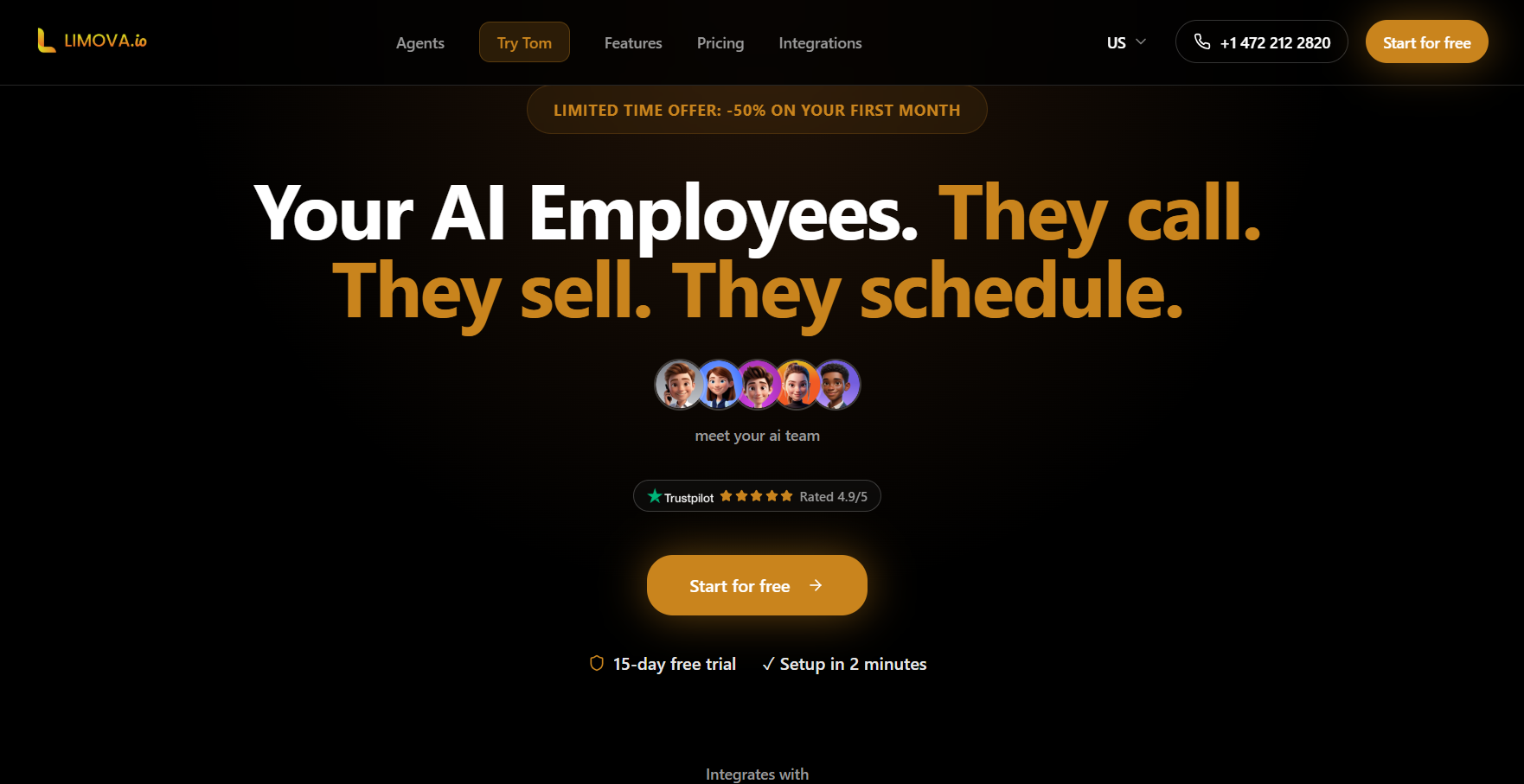
Limova review at a glance
The strongest reason to evaluate Limova is that your workload spans several business functions. If you need marketing assistance alongside call handling and administrative tasks, test those jobs together before judging its value.
|
Your situation |
What to evaluate |
What a useful result looks like |
|---|---|---|
|
Enquiries arrive while you are busy |
Call handling, information capture and handover |
The right person receives an accurate enquiry summary |
|
Social content keeps slipping |
Briefing, creative, review and scheduling |
Correct materials are ready for the intended accounts |
|
Administration interrupts client work |
Supported actions in your actual tools |
The intended record or document is updated correctly |
|
Several people approve marketing |
Permissions, feedback and publishing controls |
Everyone understands who can approve and who can publish |
|
You are comparing subscription value |
The whole recurring workload |
Useful output justifies both the fee and your involvement |
These are evaluation criteria, not scores from a completed trial. Pick two or three important jobs and follow them through. Exploring every agent can make a trial feel busy without answering the buying question.
What do Limova's AI agents cover?
Limova's product overview presents specialists for marketing, SEO, sales, telephone support, general assistance, accounting, legal work and recruitment. The current public roster includes John, Lou, Elio, Tom, Charly, Manue, Julia and Rony.
Think of the names as starting points for different jobs. Their presence does not establish that every desired action is available on your plan or ready to run in your accounts.
Two parts of the proposition are particularly useful to separate. Tom is presented as handling telephone enquiries, gathering information, booking appointments and handing situations to a person. Charly+ offers a WhatsApp-based way to request tasks involving email, calendars and documents.
For a business owner who spends much of the day away from a desk, those are relevant jobs to investigate. Ask for a demonstration using the tools you already use, then inspect the result in the destination application. A message saying that a job is done is less useful than the correct appointment or record actually being there.
For specialist outputs, establish who checks the finished work. Buying access to an assistant does not decide which person in your business owns the final document, customer response or operational decision.
Can Limova create, review and publish social content?
Yes: John's current product page describes content planning, image and video creation, scheduling and publishing to LinkedIn, Instagram and Facebook. It also describes previews and content that can be validated or amended before publication.
That makes a blanket statement that Limova has no approval functionality too broad. However, an owner's validation step is different from a dedicated client-review process with separate permissions, comments and an approval record. We have not verified that second workflow in this update.
Evaluate the distinction with a normal piece of client work. Have the person who creates the content request a change from a separate reviewer. Then check which version is approved, who can schedule it and what happens if the caption changes again.
This matters because the approval is attached to a particular version of the work. If the client approved a viewing time of 10am, a later change to 11am needs to be visible to the people relying on that approval.
Also check your exact format. A connected network does not automatically establish support for every post type, account configuration or publishing option you need. Make the requested output specific enough that a demonstration can answer the question.
What does Limova cost?
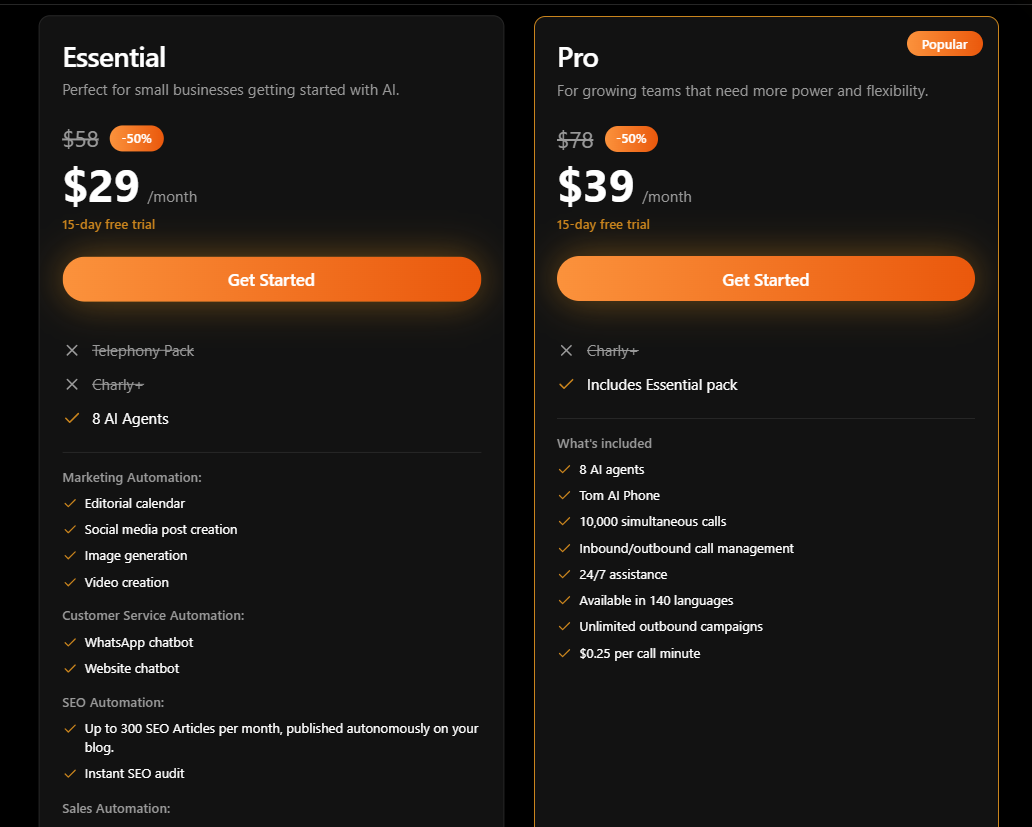
Limova's current offers page lists Essentiel, Pro and Business+. Essentiel and Pro advertise seven-day trials, while Business+ is offered by quotation. The page displays euro pricing excluding VAT and distinguishes monthly from annual billing.
|
Plan |
Published scope to examine |
Cost question to resolve |
|---|---|---|
|
Essentiel |
Agents, marketing, SEO, prospecting, documents and API access |
What is the current subscription total for your billing term? |
|
Pro |
Adds a telephone package and related capabilities |
Which calls are metered, and what usage is included? |
|
Business+ |
A tailored package |
What exactly is included in the written quote? |
The offers page lists telephone usage at €0.20 per call minute. Confirm which call types and allowances this applies to before estimating the bill. We are not reproducing the subscription amounts here because the animated prices could not be read reliably during this update; check the live offer and checkout rather than relying on an older promotional table.
A useful budgeting exercise is to write down one expected month of work: content production, revisions, users, connected accounts and any telephone usage. Ask which items the subscription includes and which create additional charges.
For illustration, if 200 minutes were billable at €0.20, the usage component would be €40 before applicable tax and any subscription charge. That is arithmetic, not a quotation or a prediction of your bill.
Compare annual commitments using the total payable for the term, not just a monthly equivalent. Keep promotional and renewal amounts separate. A discounted subscription only helps if the work you need fits both the product and its ongoing cost.
A practical example: one property, one campaign
Imagine a small estate agency promoting a Saturday open house. The team needs three social posts, a short email invitation and consistent answers to enquiries about the viewing.
This example deliberately combines marketing and telephone work, so it gives Limova's broader proposition a fair evaluation. It is a suggested test brief, not a claim that we ran these tasks successfully.
Start with an approved property sheet: listing reference, public address, viewing date, time zone, booking link and the features you may mention. Supply the actual photographs, brand assets and examples of the agency's usual writing.
Include restrictions in the brief. Do not invent room dimensions, parking arrangements or availability. If information is missing, ask for it. Keep private seller details out of the material used for public marketing.
Use a brief such as:
Prepare an open-house campaign using the supplied property sheet and photographs. Create three distinct social-post drafts and an email invitation draft. Use only confirmed property facts. Keep all materials unpublished for review. Identify missing information and list the remaining steps before anything can be scheduled or sent.
|
Deliverable |
What to request |
What to inspect |
|---|---|---|
|
Announcement post |
Explain the viewing and booking action |
Correct property, date, time and link |
|
Property-detail post |
Use one verified feature and supplied photograph |
No invented features or misleading visual alterations |
|
Reminder post |
Give a clear final reminder |
Accurate deadline and availability wording |
|
Invitation email |
Draft a subject, preview and concise invitation |
One clear action and consistent details |
|
Enquiry answers |
Prepare answers from the approved property sheet |
No guesses when a caller asks an unanswered question |
For the email, distinguish writing a draft from setting up and sending a campaign through your chosen email platform. Ask Limova to demonstrate the exact action you need; the example does not assume every step is supported.
For telephone evaluation, use your own test caller and a controlled appointment. Ask an ordinary question, an ambiguous question and one that needs a human response. Inspect the summary and appointment details afterwards.
Keep a simple record of the brief, first output, corrections and remaining manual steps. The useful question is whether the team can repeat this process next week without a fresh round of troubleshooting.

Change the viewing time: the more revealing test
Now move the open house from 10am to 11am. Ask for the affected work to be updated, then inspect each item yourself.
Check the text inside the artwork as well as the caption. Check the email, booking destination and enquiry information. If anything has already been scheduled, confirm the version that will actually publish.
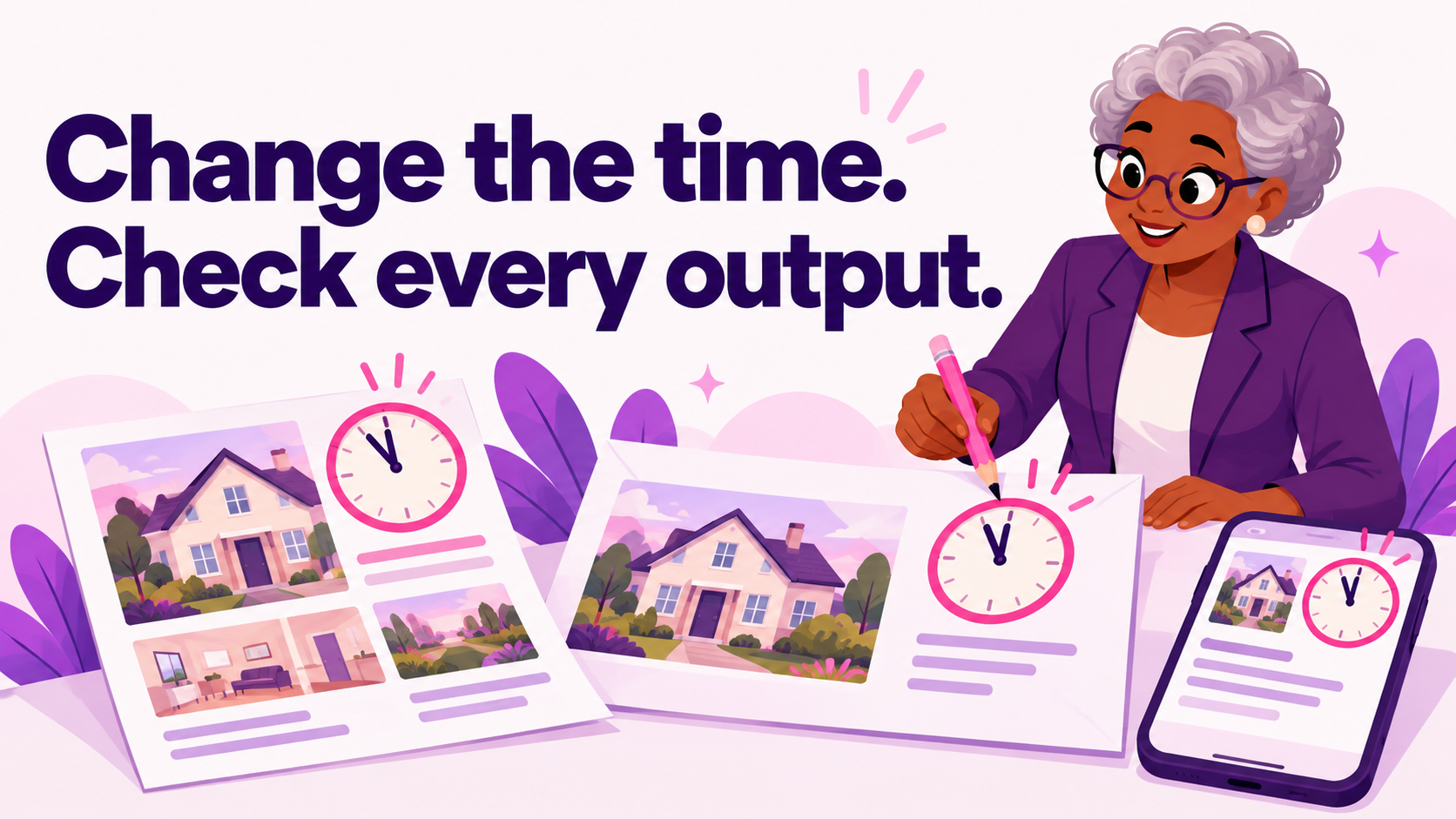
Do not assume that updating the source sheet automatically updates existing drafts or external systems. Record which changes happen together and which need separate instructions. This is a normal workflow requirement, not a special challenge designed to catch out a competitor.
The useful editorial lesson is that revision handling can matter more than an impressive first draft. Businesses change times, offers and availability. A workable process makes those changes visible and keeps someone responsible for checking them.
Before completing the test, give the colleague handling the viewing the final campaign pack. Ask them to find the approved time and booking action without reading the entire chat history. That checks whether the output is usable by the wider team.
What should agencies check before committing?
Agencies should evaluate the client handover as carefully as the content generation. Ask to see a client invited, a draft shared, a revision requested and the final version approved. Establish whether approval can be required before publication.
Check account separation too. Use two sample brands with clearly different logos, writing styles and offers. Ask each for a simple draft and verify that the materials stay with the intended client. These checks are proposed evaluation steps, not allegations of observed problems.
For reporting, request the exact measure you need from the exact account. Check its date range and source. A general analytics claim does not establish every advertising metric, so this review makes no blanket claim that Limova lacks paid-media data.
Apply the same discipline to SEO. Google's guidance on generative AI content focuses on accuracy, quality and value; producing many pages without useful added value may breach its spam policies. AI authorship alone is not a reason to assume a page will be penalised.
A sensible editorial process begins with a useful reader question, adds specific expertise and checks the article before publication. Judge an SEO assistant by that process and its finished work, rather than the maximum number of articles it can generate.
Limova vs Purple+: which workflow fits?
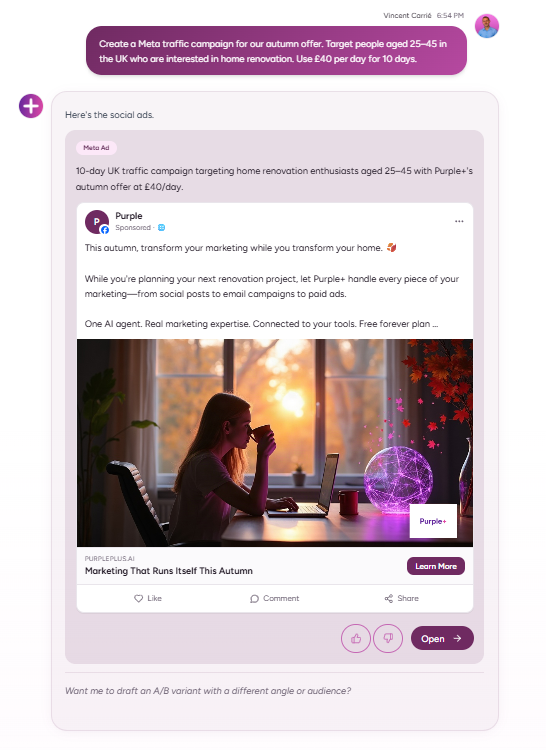
Limova deserves consideration when you want assistance across several business functions. Purple+ focuses on marketing across social, advertising, SEO content and email. Its optional Managed service is a separate choice for businesses wanting human delivery support.
|
Decision |
Limova |
Purple+ |
|---|---|---|
|
Main scope |
Wider business automation |
Connected marketing work |
|
Social content |
John documents creation, preview and scheduling |
Marketing creation, review and publishing workflows |
|
Telephone handling |
A specific area to evaluate through Tom |
Not the replacement proposed here |
|
Client review |
Check dedicated reviewer permissions and approval history |
Evaluate the review workflow with your own team |
|
How to compare |
Demonstrate the business tasks you will use |
Demonstrate the same marketing brief and amendments |
For the estate agency, use the same property pack to evaluate Purple+. Request the social and email materials, review the creative and captions, and confirm the account and status of each item. Compare usable results and remaining work rather than the number of agents or credits advertised.
Purple+'s current pricing page offers a 14-day Pro trial followed by a limited Free plan if you do not upgrade. Free currently includes 100 monthly credits, one connected social profile and ten social publishes per month. It excludes automations and direct email or CMS publishing. Do not plan a full multi-channel operation around unrestricted free access.
For the detailed product fit, compare Purple+ and Limova. If you are assessing another broad business-assistant platform, our Sintra AI review provides a separate overview.
Is Limova worth it for your business?
Limova is worth evaluating when several recurring jobs fit its range, particularly if enquiries and administration matter alongside content. Its breadth can be useful, but only the work you actually adopt should count towards your buying decision.
Choose a small, representative trial. Record the accepted output, corrections, usage charges and steps still handled by your team. Resolve the important permission and billing questions before making a longer commitment.
If recurring marketing is your main priority, use the same brief to evaluate Purple+ and inspect the current plans. Choose the process your team can sustain when the client requests a change and the next campaign is already due.
Frequently asked questions
Written by
Founder & Director
Vincent Carrié is the Founder & Director of Purple Media, a full-service digital marketing agency in Gibraltar working with brands including Holland & Barrett, Vitabiotics, and Gibtelecom. Drawing on years of hands-on campaign experience, he's building Purple+ — an AI marketing agent that creates and publishes brand-aligned content across social, paid ads, SEO, and email from a single chat. He writes about applying AI to real marketing workflows, with a focus on what actually drives results for solopreneurs, SMBs, and agencies.